Summary
Outbound link button in feedback success modal does nothing
Environment
- Maestro version: 0.16.11-RC
- Operating system: macOS (Darwin Kernel Version 25.3.0: Wed Jan 28 20:54:46 PST 2026; root:xnu-12377.91.3~2/RELEASE_ARM64_T6000, 25.3.0)
- Install source: Packaged build (release build or locally packaged)
- Agent/provider involved: Not provided
- SSH remote execution: Not provided
Steps to Reproduce
- Create and submit a feedback issue in Maestro.
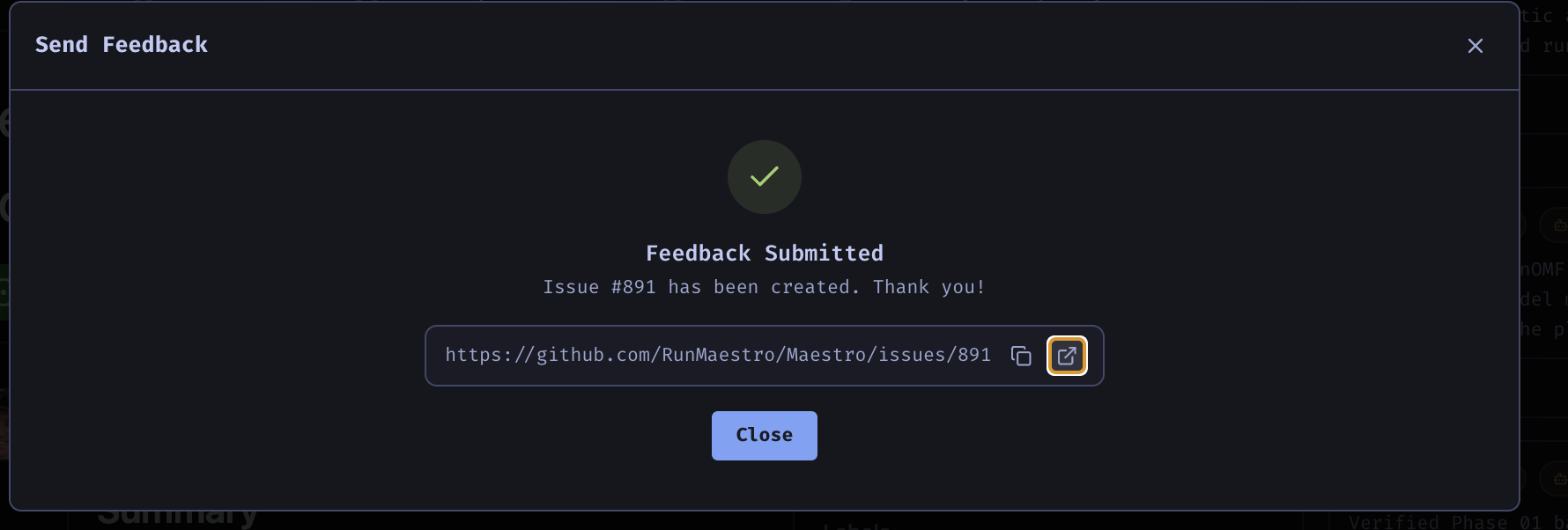
- In the post-submission success modal, click the rightmost button with the outbound-link glyph (square with arrow).
- Observe that a gray overlay briefly appears.
- Notice that the modal stays open and no Maestro browser tab opens.
Expected Behavior
After creating a feedback issue, clicking the rightmost outbound-link icon in the success modal should close the modal and open the newly created issue URL in a Maestro browser tab when the global URL-opening setting is set to browser tabs. If the global setting is external browser, it should open in Chrome instead.
Actual Behavior
Clicking the rightmost outbound-link icon after issue creation shows a brief gray overlay and then disappears, but the modal does not close and the issue URL Opens in a browser tab, but focus is not sent to that browser tab.
Additional Context
Observed on Maestro 0.16.11-RC on macOS packaged build. User had the default global setting enabled to open URLs in Maestro browser tabs and had not changed it. User expects the button to respect that setting.
Screenshots / Recordings

Summary
Outbound link button in feedback success modal does nothing
Environment
Steps to Reproduce
Expected Behavior
After creating a feedback issue, clicking the rightmost outbound-link icon in the success modal should close the modal and open the newly created issue URL in a Maestro browser tab when the global URL-opening setting is set to browser tabs. If the global setting is external browser, it should open in Chrome instead.
Actual Behavior
Clicking the rightmost outbound-link icon after issue creation shows a brief gray overlay and then disappears, but the modal does not close and the issue URL Opens in a browser tab, but focus is not sent to that browser tab.
Additional Context
Observed on Maestro 0.16.11-RC on macOS packaged build. User had the default global setting enabled to open URLs in Maestro browser tabs and had not changed it. User expects the button to respect that setting.
Screenshots / Recordings