Unity Editor toolkit for generating MeshColliders, drawing collision outlines manually, and batch-configuring prefab renderers.


Collider Mesh Tool builds geometric walls around one or several scene objects by analyzing their outermost vertices and generating a closed mesh boundary from them. Instead of hand-placing box colliders around complex level geometry, you select the objects, tune a few parameters, and the tool produces a single optimized MeshCollider that follows their silhouette.
The package ships as three independent modules — use all of them together or pick only what you need.
| Module | Purpose |
|---|---|
ColliderMeshCreator |
Editor window for automatic and manual collider generation |
ConcaveHull |
Runtime geometry API for 2D concave hulls on the XZ plane |
PrefabSetupEditor |
Batch renderer and material configuration |
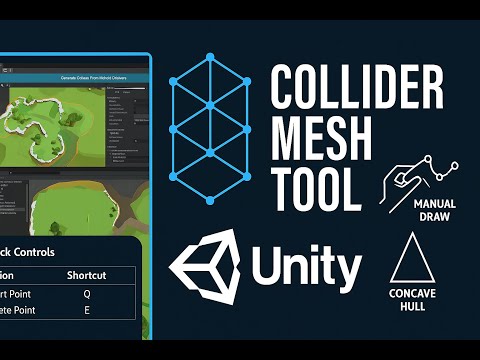
Generates custom MeshColliders either automatically from MeshFilter components or manually via ManualOutlineDrawer directly in the Scene view.
Capabilities
- Concavity, scale factor, and Y-threshold control
- Offset height and extrusion depth
- Optional Catmull–Rom smoothing for curved outlines
- Debug material support
Opening the window
Tools > Collider Mesh Generator Editor Window
Scene view shortcuts
| Action | Shortcut |
|---|---|
| Add point | Q |
| Remove point | E |
Lightweight runtime plugin for generating 2D concave hulls on the XZ plane.
API
Hull.SetConvexHull(List<Node> nodes);
Hull.SetConcaveHull(double concavity, double scaleFactor);
Hull.CleanUp();
Data types
| Type | Description |
|---|---|
Node |
2D point with a unique ID |
Line |
Connection between two nodes |

Configures renderers and materials across prefabs and scene objects in bulk.
Capabilities
- Recursive material assignment through object hierarchies
- Filtering and randomization based on mesh name
- Per-renderer configuration of shadow casting, light probe usage, global illumination, and motion vectors

| Dependency | Version | Required |
|---|---|---|
| Unity | 2023.3 or newer | Yes |
| Odin Inspector | Latest | Yes |
| ConcaveHull | 1.0.0 | For mesh generation |
- Download the
.unitypackagefrom the Releases page. - Import it into your Unity project via
Assets > Import Package > Custom Package. - Install Odin Inspector, and ConcaveHull if you plan to use mesh generation.
- Open
Tools > Collider Mesh Generator Editor Windowto get started.
// Runtime hull generation example
var nodes = vertices.Select((v, i) => new Node(v.x, v.z, i)).ToList();

Hull.SetConvexHull(nodes);
Hull.SetConcaveHull(concavity: 1.0, scaleFactor: 1);

var outline = Hull.HullConcaveEdges;Distributed under the MIT License. See LICENSE for details.
SinlessDevil — GitHub