Guide for configuring and running MusicBot's container using Docker
You can run musicbot docker container in 2 ways
| Method | Pros/Cons |
|---|---|
| mounting config volume using a bind mount | + updating config is easy |
| -- need to rebuild docker image (if follow given guide) | |
| mounting config volume using docker volume | + can just docker pull and go when there's a new update |
| -- it's somewhat difficult to change the config |
1. mounting config volume using a bind mount: here
First, run musicbot once to create a config volume
docker run justsomebots/musicbot:master (in the picture I used review branch instead of the master branch but it's not different)
Then, it should fail with Bot cannot login. bad credentials.
Now, there should be a new volume created. You can list all volumes using
docker volume ls
Inspect the newly created volume using
docker inspect <VOLUME NAME>
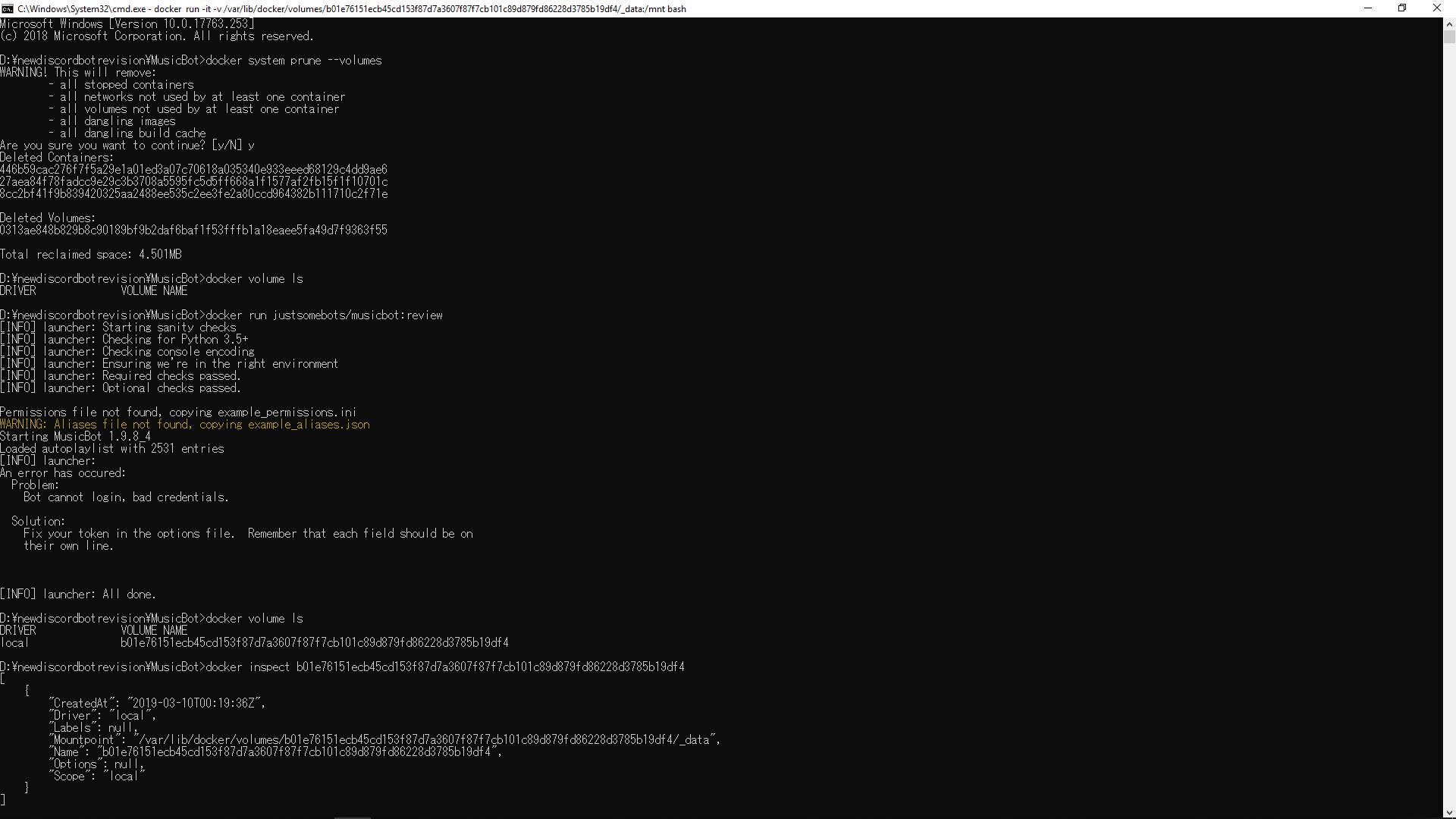
You can just manipulate file like usual at Mountpoint directory shown by the inspect command. The directory represents the config folder. Configure like you would do following this. Then, go to the finally section.
This is the hard way. You may notice that the Mountpoint directory shown is a Linux/UNIX directory.
Start bash container using
docker run -it -v <Mountpoint>:/mnt bash
change into /mnt directory
cd /mnt
Get your bot token by following this
Substitute bot_token in options.ini with your token and save to a temporary file using sed command
sed 's/bot_token/<Your Bot Token>/g' /mnt/options.ini > /mnt/options.ini.new
See if token is really changed
cat /mnt/options.ini.new
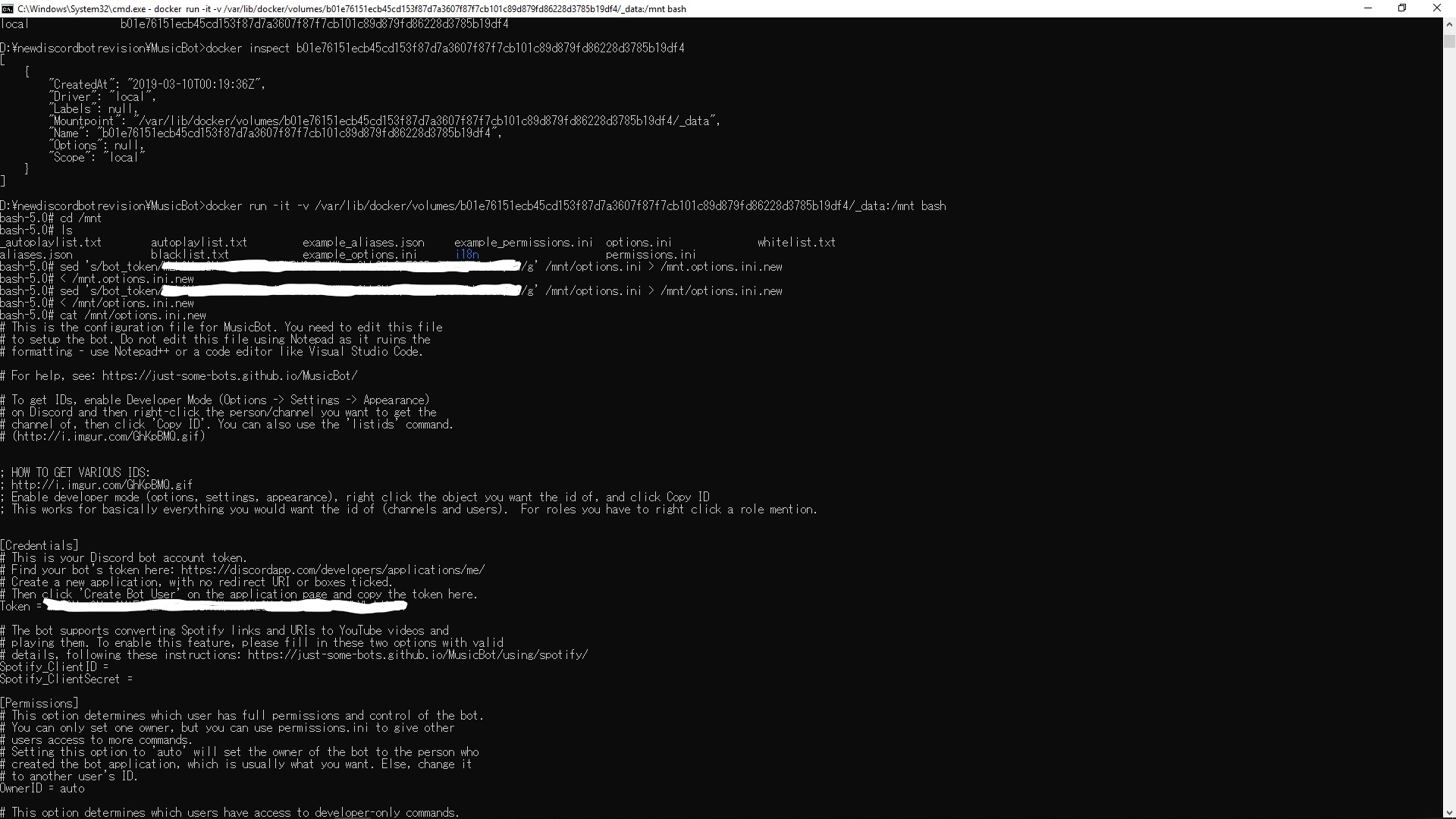
Rename the temporary file to options.ini
mv options.ini.new options.ini
You can use cat command to make sure it's really renamed.
After finished, go to the finally section.
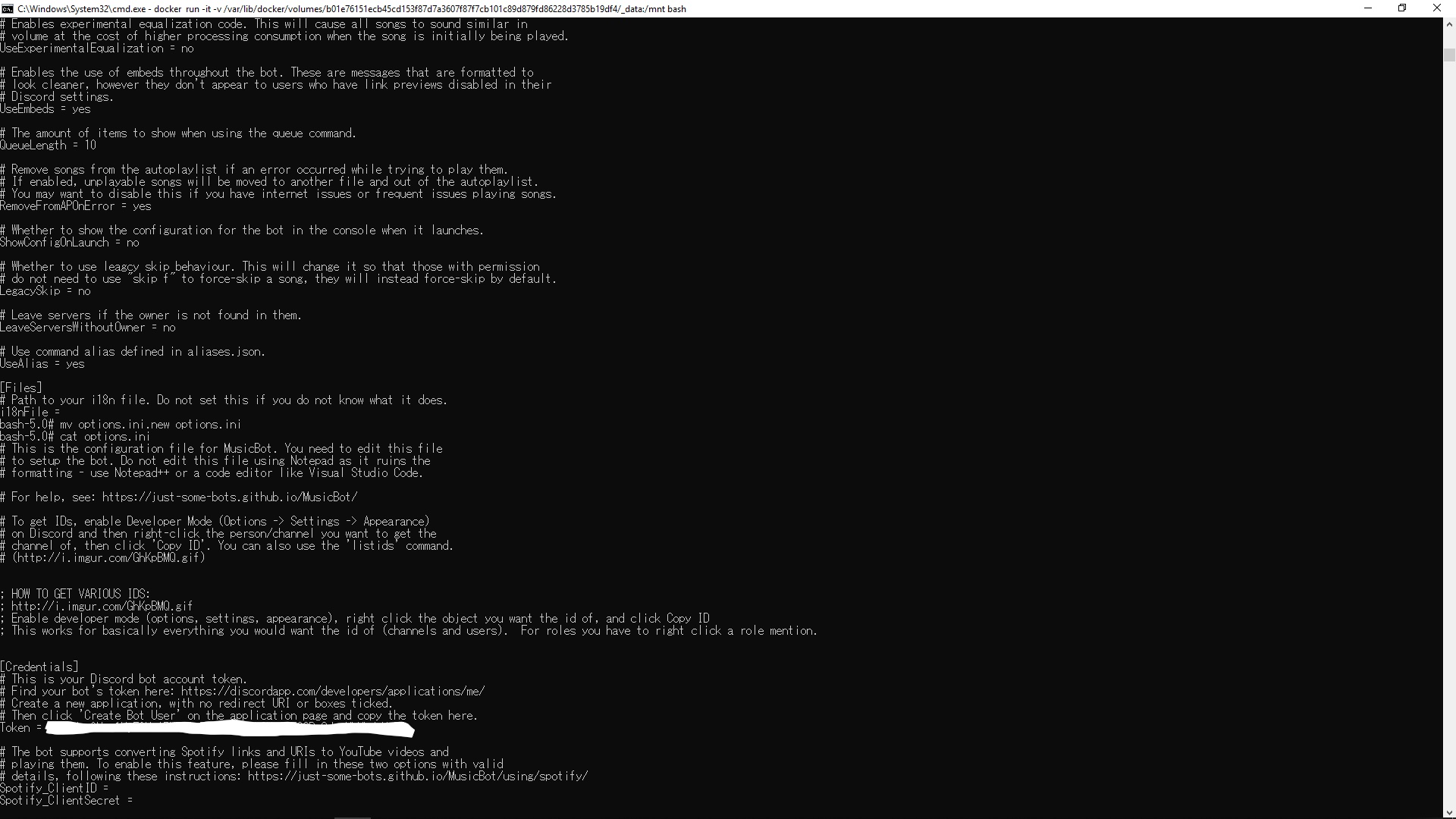
Run the container mounting volume by using this command
docker run -it -v <VOLUME NAME>:/usr/src/musicbot/config justsomebots/musicbot:master
For running container again you can use the above command
passing -update will update dependencies of the bot
docker run -it -v <VOLUME NAME>:/usr/src/musicbot/config justsomebots/musicbot:master -update
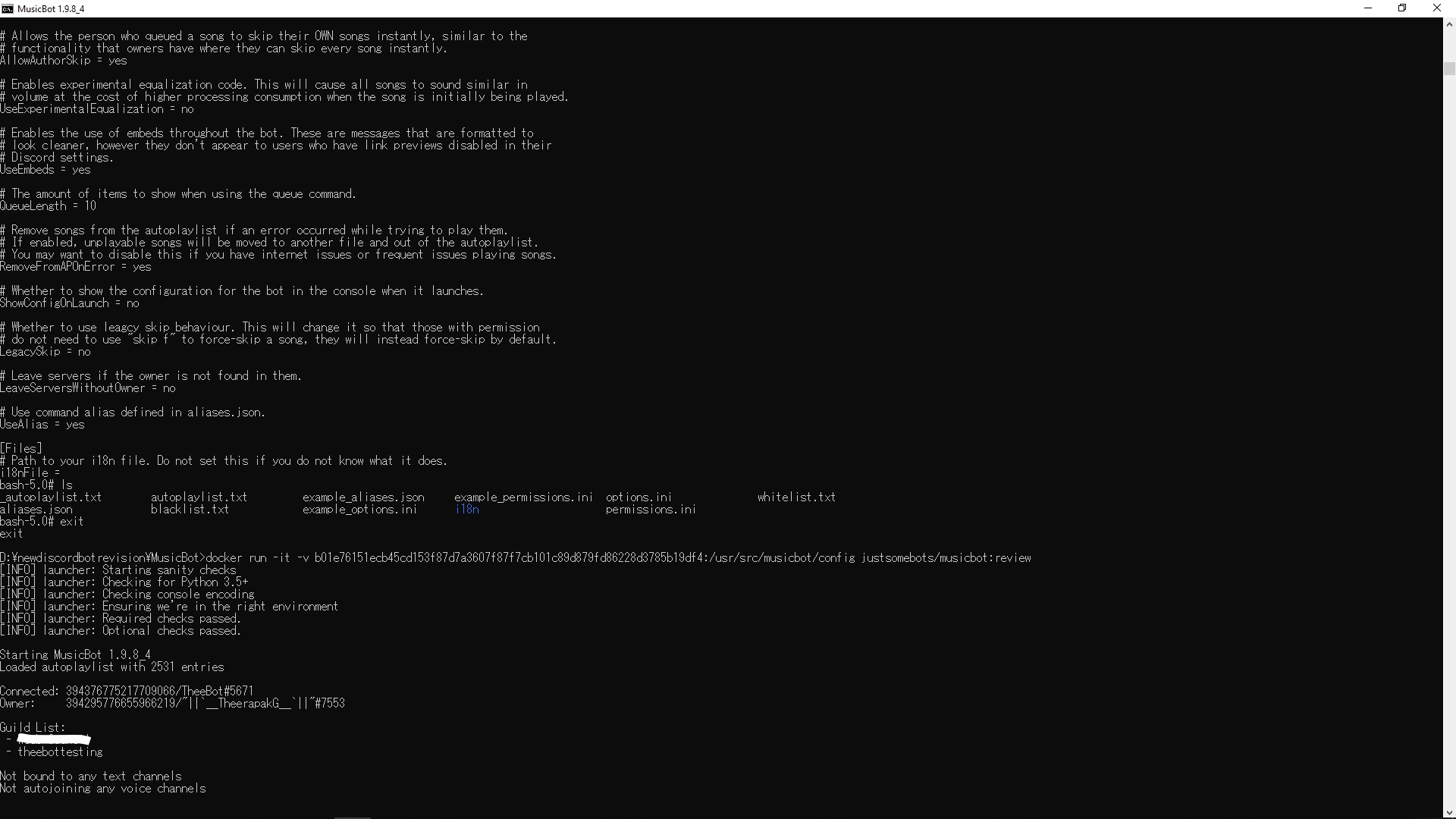
You can kill container by finding the container name and kill it
docker container ls
docker kill <CONTAINER NAME>