


中文 | English
Instantly renders Markdown into WeChat-ready articles, so you never have to wrestle with formatting in the WeChat Official Account editor again. Standard Markdown syntax is all you need to produce clean, well-styled articles.
If this project is useful to you, a Star ⭐️ is always appreciated.
Chrome is recommended for the best experience.
Most open-source WeChat Markdown editors suffer from overly complex styles that require manual tweaking after every paste. This project aims to provide a simpler, more focused editor so content creators can spend their time writing rather than fixing layout.
Pull requests are welcome. You can also share ideas in Discussions.
- Standard Markdown syntax and math formulas (KaTeX)
- Mermaid diagrams, PlantUML, and GFM alert blocks
- Ruby annotation extension:
[text]{ruby}and[text]^(ruby)formats - Multiple code highlight themes; customizable theme colors and CSS
- Local draft management with auto-save
- Sync editor preferences after sign-in (cloud sync)
- Multiple image hosting options (GitHub, Alibaba Cloud OSS, Tencent COS, Qiniu, MinIO, S3, Cloudflare R2, and more)
- File import and export
- AI assistant integration (DeepSeek, OpenAI, Tongyi Qianwen, Tencent Hunyuan, Volcengine, 302.AI, etc.)
| # | Service | Configuration required | Notes |
|---|---|---|---|
| 1 | Default | No | - |
| 2 | GitHub | Repo, Token |
How to get a GitHub token |
| 3 | Alibaba Cloud OSS | AccessKey ID, AccessKey Secret, Bucket, Region |
Docs |
| 4 | Tencent COS | SecretId, SecretKey, Bucket, Region |
Docs |
| 5 | Qiniu Kodo | AccessKey, SecretKey, Bucket, Domain, Region |
Docs |
| 6 | MinIO | Endpoint, Port, UseSSL, Bucket, AccessKey, SecretKey |
Docs |
| 7 | S3-compatible | Endpoint, Region, Bucket, AccessKey, SecretKey |
Supports AWS S3, Oracle, DigitalOcean, and other S3-compatible storage |
| 8 | WeChat Official Account | appID, appsecret, proxy domain |
Tutorial |
| 9 | Cloudflare R2 | AccountId, AccessKey, SecretKey, Bucket, Domain |
S3 API docs |
| 10 | Upyun | Bucket, Operator, Password, Domain |
Docs |
| 11 | Telegram | Bot Token, Chat ID |
Usage guide |
| 12 | Cloudinary | Cloud Name, API Key, API Secret |
Docs |
| 13 | Custom upload | Yes | How to configure |
| Theme switching | Image upload |
|---|---|
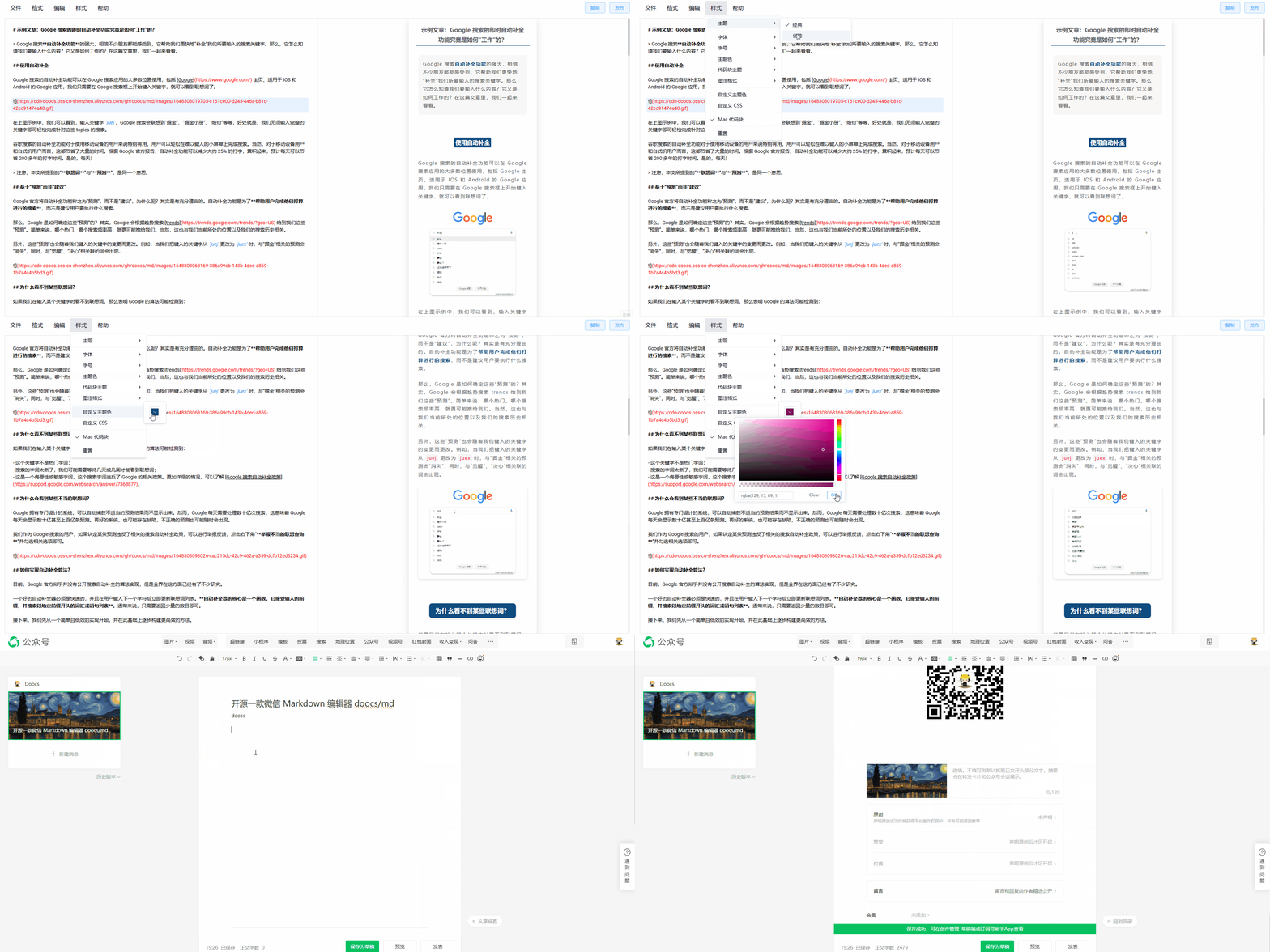 |
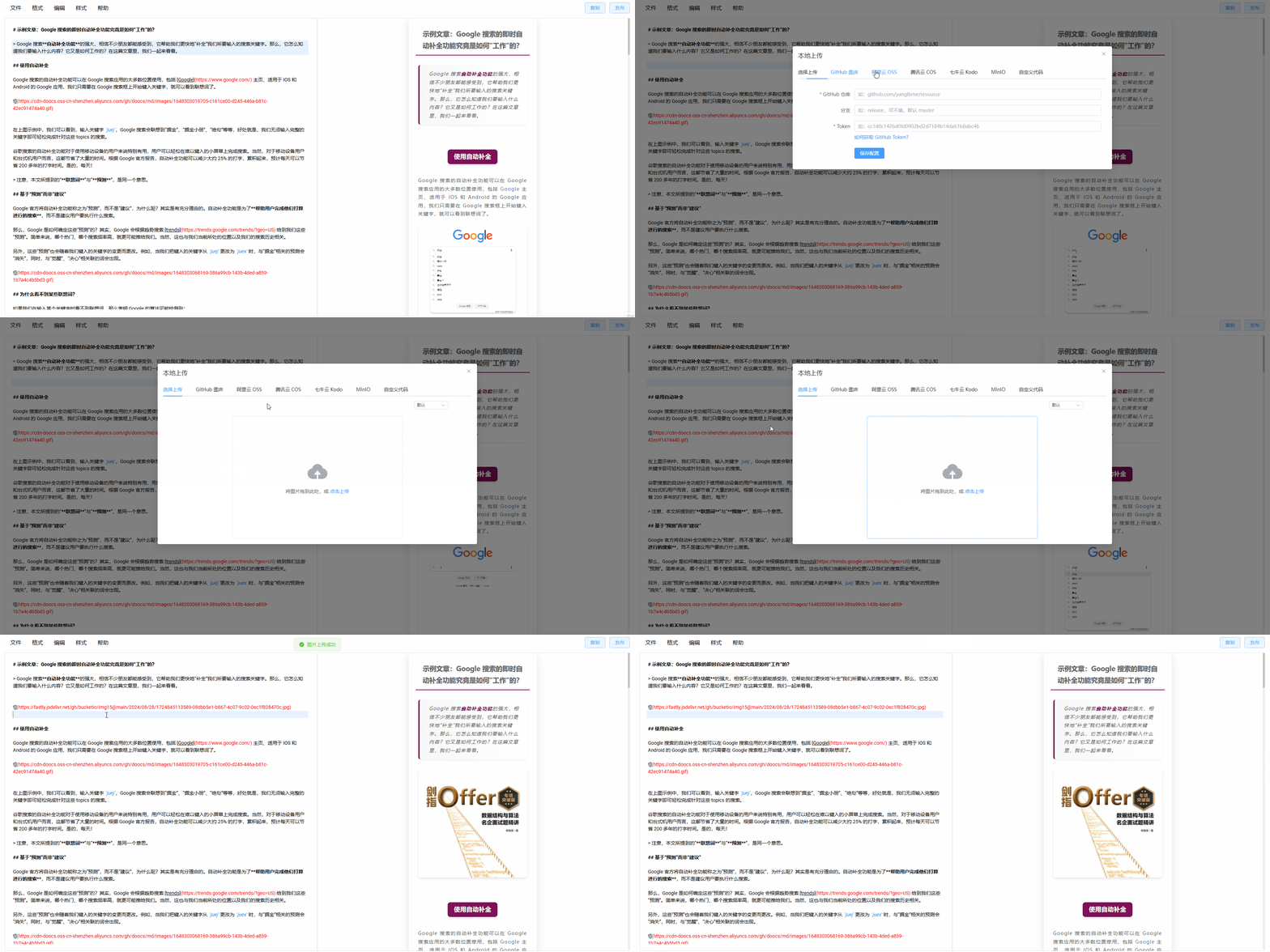 |
| Style customization | One-click formatting |
|---|---|
 |
 |
# Install the required Node version
nvm i && nvm use

# Install dependencies
pnpm i

# Start the dev server, available at http://localhost:5173/md/
pnpm web dev

# Production build, served under /md/
pnpm web build

# Production build, served at the root path
pnpm web build:h5-netlify

# Chrome extension dev mode
# After starting, open chrome://extensions/, enable Developer mode,
# then load the unpacked extension from apps/web/.output/chrome-mv3-dev
pnpm web ext:dev

# Package the Chrome extension
pnpm web ext:zip

# Package the Firefox extension — output: apps/web/.output/md-{version}-firefox.zip
pnpm web firefox:zip

# Package the uTools plugin — output: apps/utools/release/md-utools-v{version}.zip
pnpm utools:package

# Cloudflare Workers development and deployment
pnpm web wrangler:dev
pnpm web wrangler:deploy# Install globally
npm i -g @doocs/md-cli
# Start (default port: 8800)
md-cli
# Start with a custom port
md-cli port=8899Supported CLI options:
port: Listening port. Defaults to8800; a random port is chosen if occupied.spaceId: dcloud service space IDclientSecret: dcloud service space secret
docker run -d -p 8080:80 doocs/md:latestThen open http://localhost:8080 in your browser. For more details on the Docker image, see https://github.com/doocs/docker-md.
See USERS.md for a list of WeChat Official Accounts using this project.
PRs and Issues are welcome. Please read CONTRIBUTING.md for the contribution workflow and guidelines.
If this project has been helpful, you're welcome to support its continued development.
 |
 |
For bug reports or feature requests, please open an Issue. You can also scan the QR code below to join the WeChat discussion group. If the QR code has expired, add the account as a friend with the note md.
 |
 |