
Modern project management for all teams


Website • Releases • Twitter • Documentation
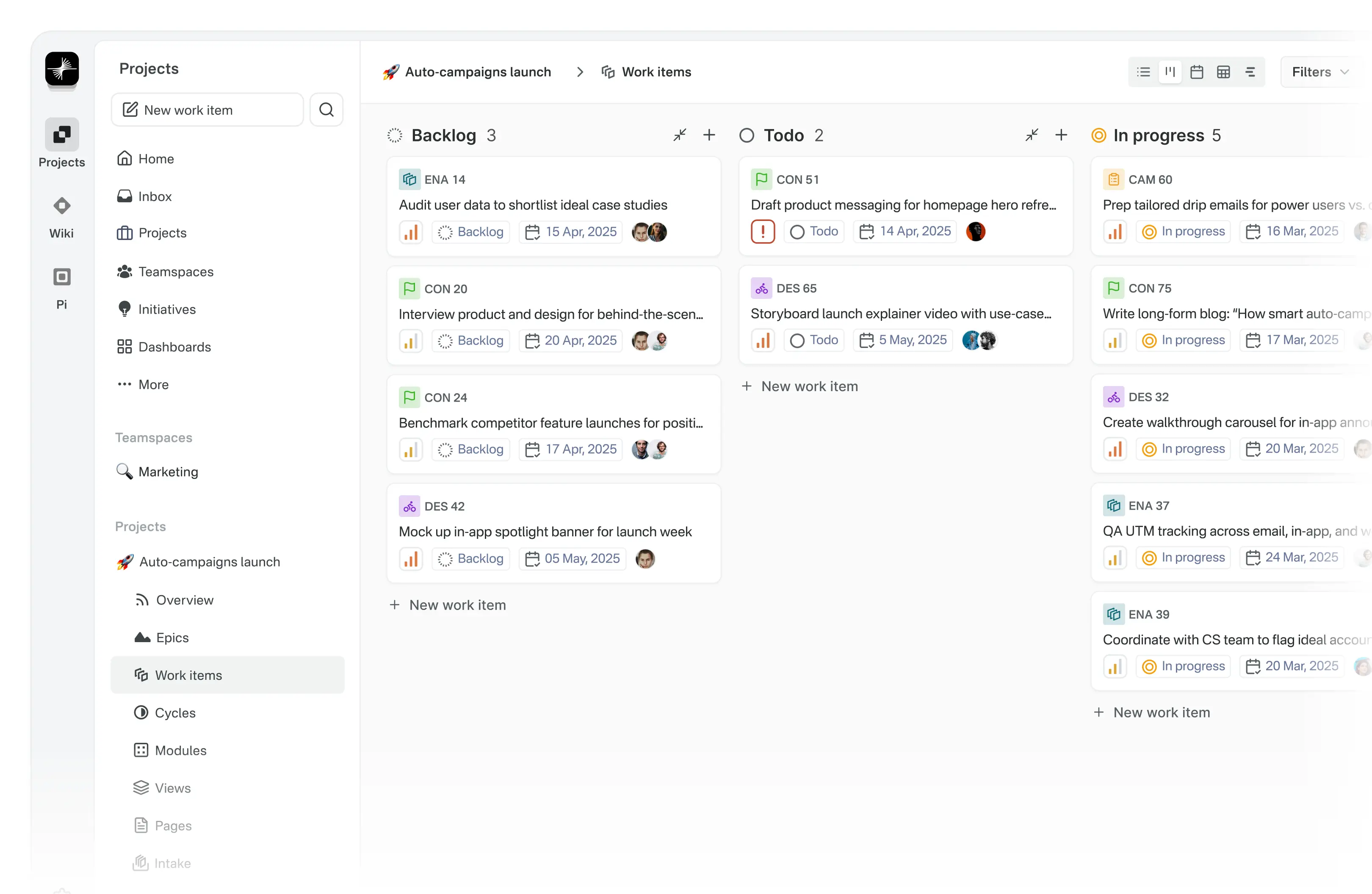
Meet Plane, an open-source project management tool to track issues, run sprints cycles, and manage product roadmaps without the chaos of managing the tool itself. 🧘♀️
Version: 0.1.11
Plane is evolving every day. Your suggestions, ideas, and reported bugs help us immensely. Do not hesitate to join in the conversation on Discord or raise a GitHub issue. We read everything and respond to most.
Getting started with Plane is simple. Choose the setup that works best for you:
-
Plane Cloud Sign up for a free account on Plane Cloud—it's the fastest way to get up and running without worrying about infrastructure.
-
Self-host Plane Prefer full control over your data and infrastructure? Install and run Plane on your own servers. Follow our detailed deployment guides to get started.
| Installation methods | Docs link |
|---|---|
| Docker |  |
| Kubernetes |  |
Instance admins can configure instance settings with God mode.
-
Work Items Efficiently create and manage tasks with a robust rich text editor that supports file uploads. Enhance organization and tracking by adding sub-properties and referencing related issues.
-
Cycles Maintain your team’s momentum with Cycles. Track progress effortlessly using burn-down charts and other insightful tools.
-
Modules Simplify complex projects by dividing them into smaller, manageable modules.
-
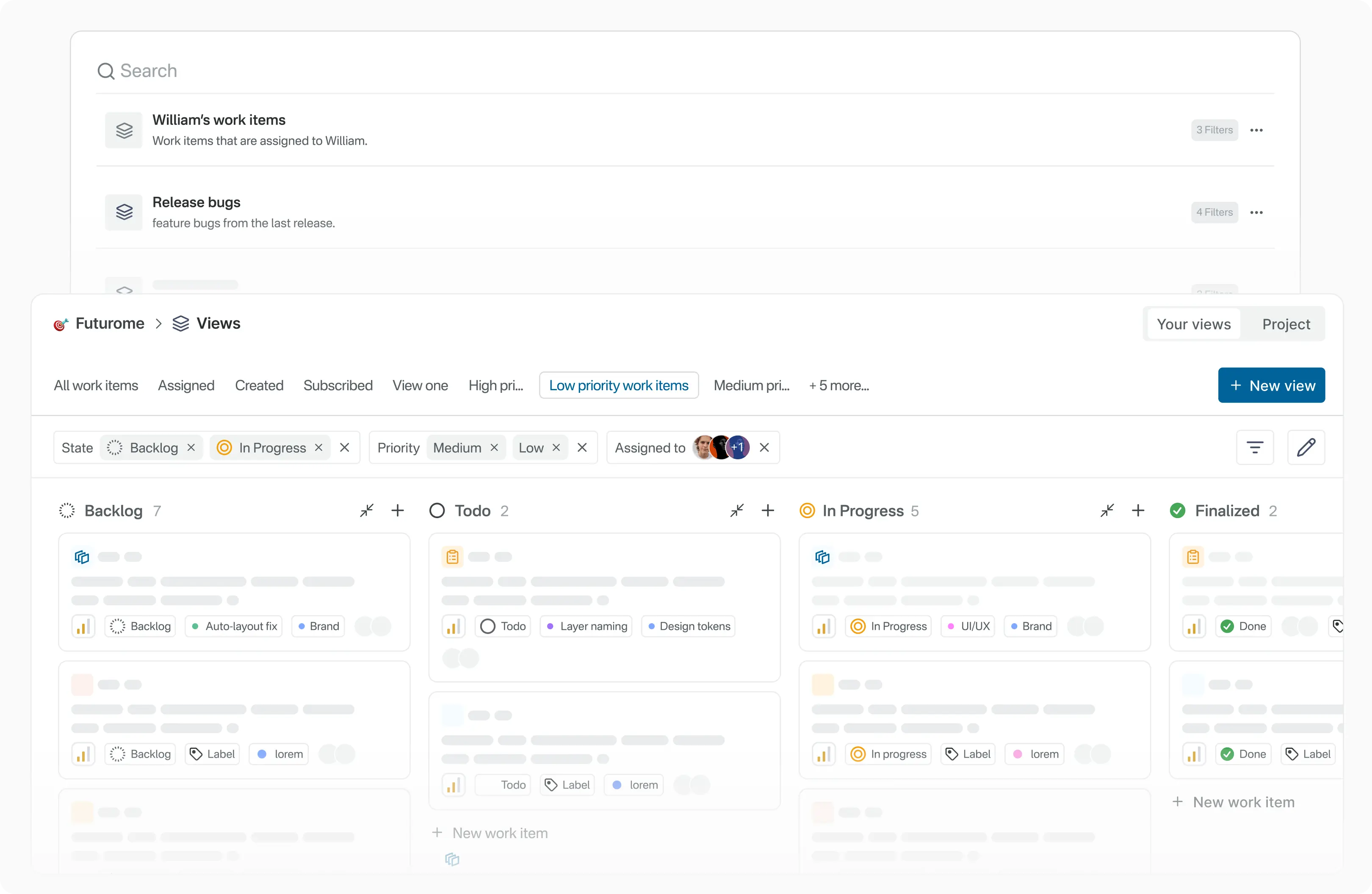
Views Customize your workflow by creating filters to display only the most relevant issues. Save and share these views with ease.
-
Pages Capture and organize ideas using Plane Pages, complete with AI capabilities and a rich text editor. Format text, insert images, add hyperlinks, or convert your notes into actionable items.
-
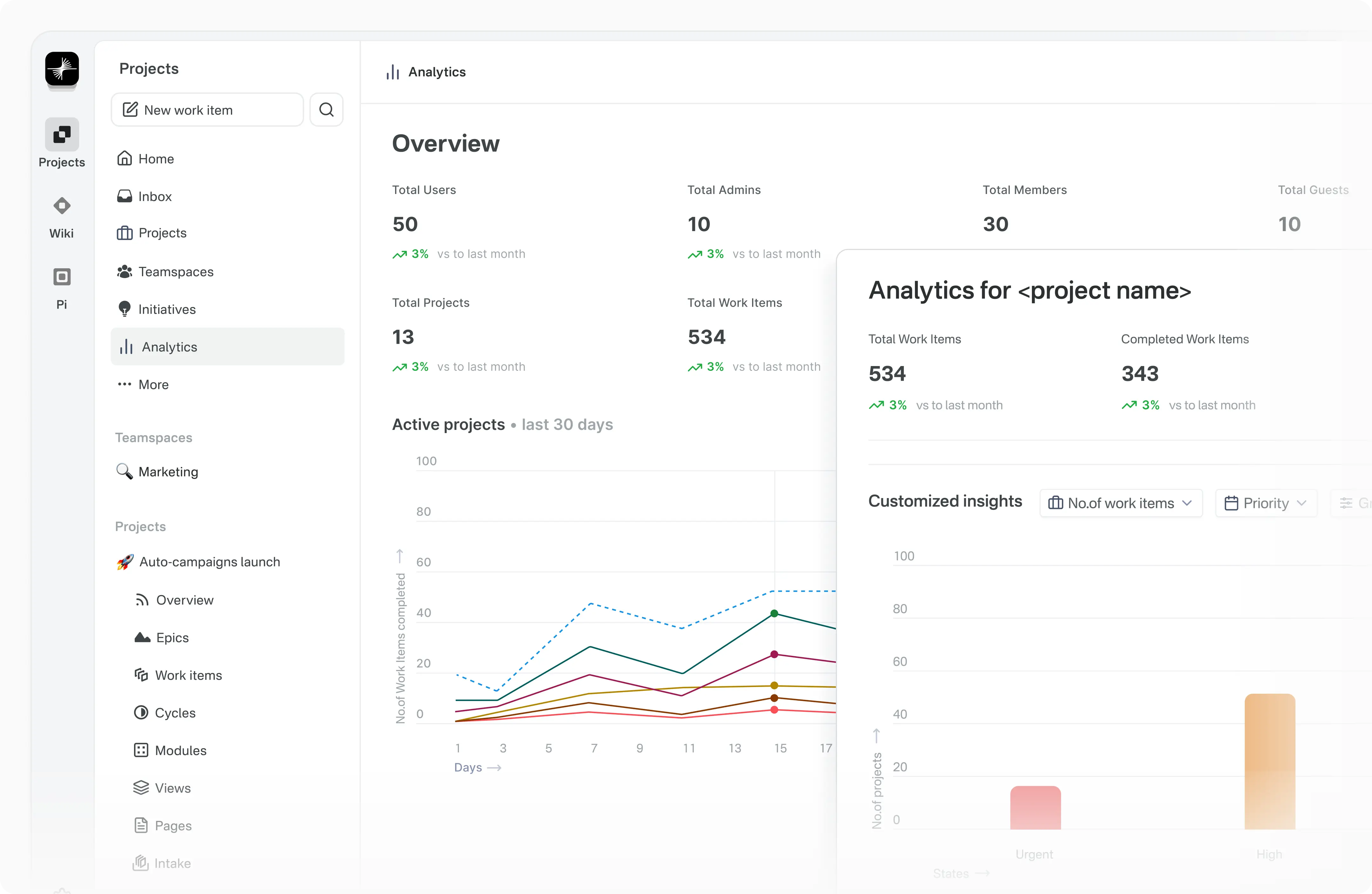
Analytics Access real-time insights across all your Plane data. Visualize trends, remove blockers, and keep your projects moving forward.
See CONTRIBUTING



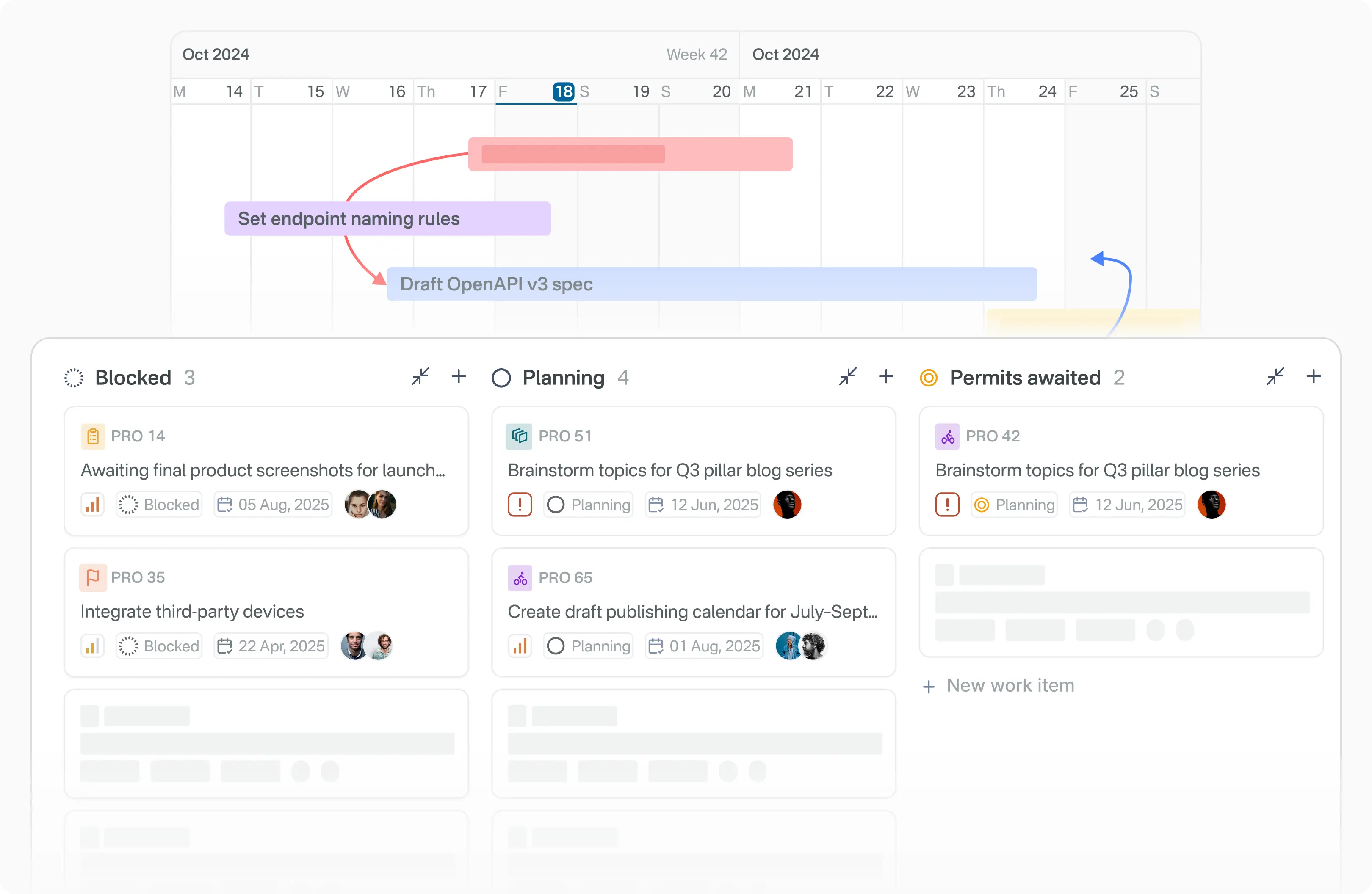
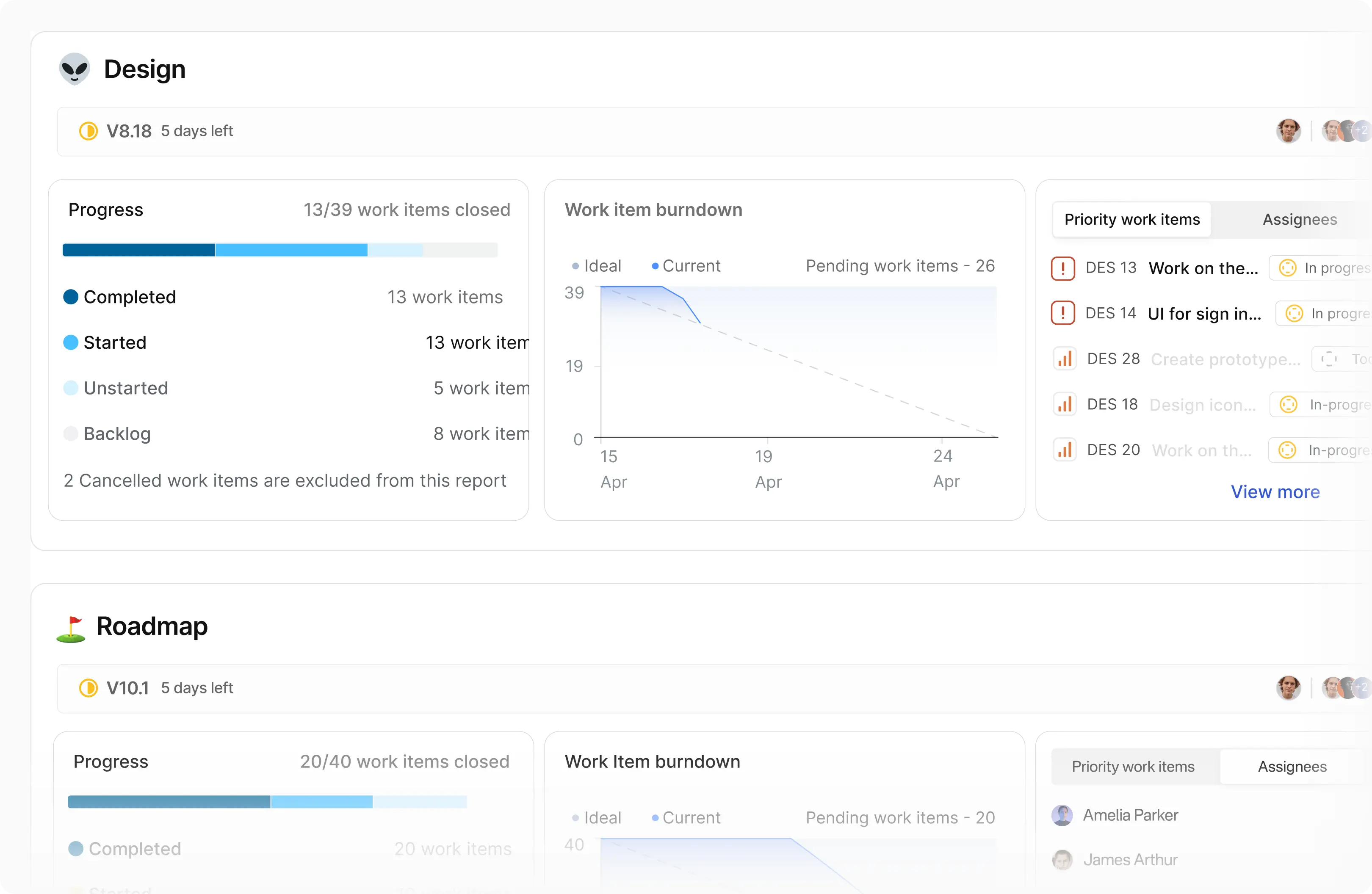
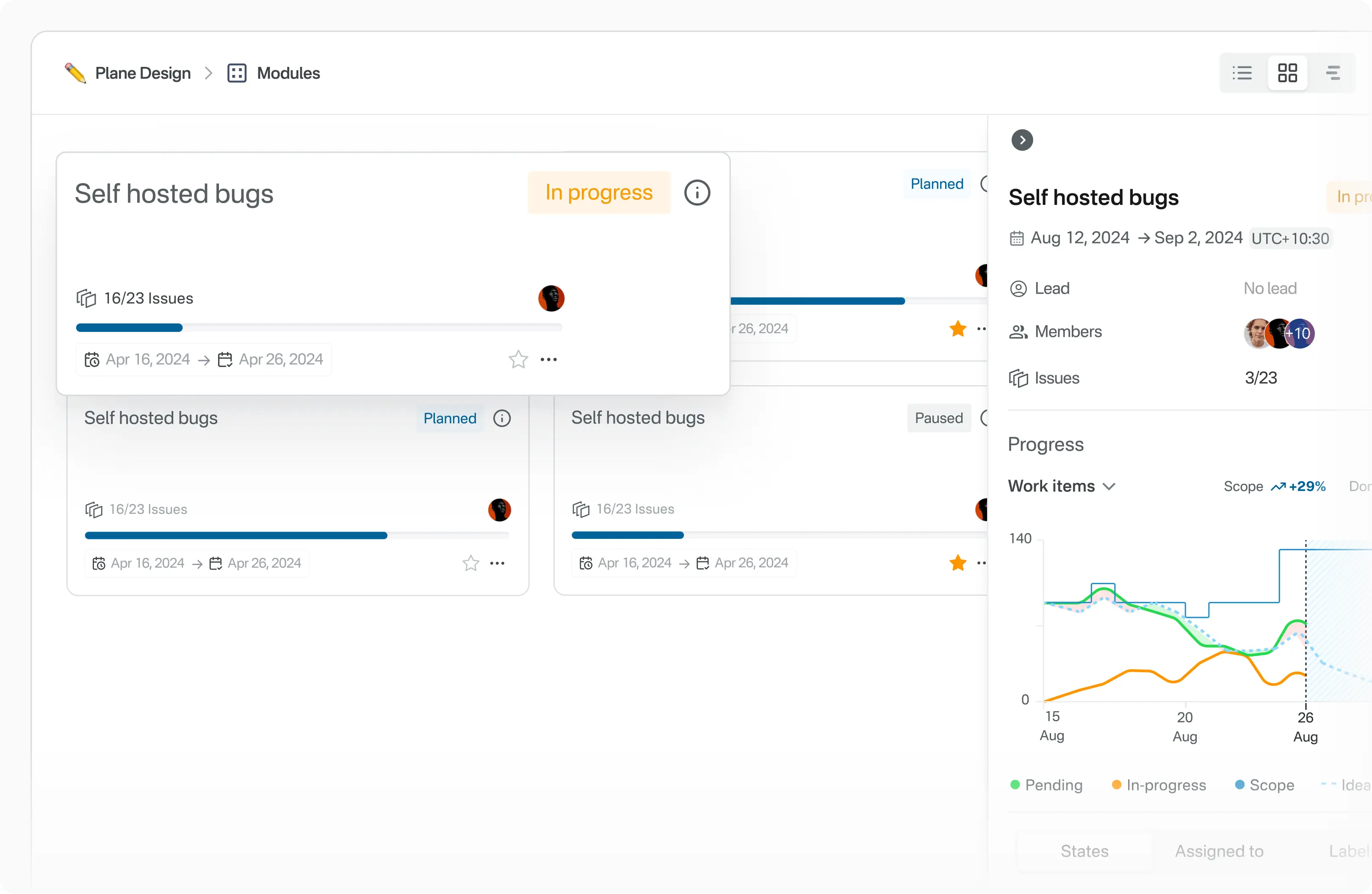
Explore Plane's product documentation and developer documentation to learn about features, setup, and usage.
Join the Plane community on GitHub Discussions and our Discord server. We follow a Code of conduct in all our community channels.
Feel free to ask questions, report bugs, participate in discussions, share ideas, request features, or showcase your projects. We’d love to hear from you!
If you discover a security vulnerability in Plane, please report it responsibly instead of opening a public issue. We take all legitimate reports seriously and will investigate them promptly. See Security policy for more info.
To disclose any security issues, please email us at security@plane.so.
There are many ways you can contribute to Plane:
- Report bugs or submit feature requests.
- Review the documentation and submit pull requests to improve it—whether it's fixing typos or adding new content.
- Talk or write about Plane or any other ecosystem integration and let us know!
- Show your support by upvoting popular feature requests.
Please read CONTRIBUTING.md for details on the process for submitting pull requests to us.
Plane-MCP: https://github.com/makeplane/plane-mcp-server
A Model Context Protocol (MCP) server for Plane integration. This server provides tools and resources for interacting with Plane through AI agents.
- 🔧 Plane Integration: Interact with Plane APIs and services
- 🔌 Multiple Transports: Supports stdio, SSE, and streamable HTTP transports
- 🌐 Remote & Local: Works both locally and as a remote service
- 🛠️ Extensible: Easy to add new tools and resources
The server supports three transport methods. We recommend using uvx as it doesn't require installation.
MCP Client Configuration (using uvx - recommended):
{
  "mcpServers": {
    "plane": {
      "command": "uvx",
      "args": ["plane-mcp-server", "stdio"],
      "env": {
        "PLANE_API_KEY": "<your-api-key>",
        "PLANE_WORKSPACE_SLUG": "<your-workspace-slug>",
        "PLANE_BASE_URL": "https://api.plane.so"
      }
    }
  }
}Connect to the hosted Plane MCP server using OAuth authentication.
URL: https://mcp.plane.so/http/mcp
MCP Client Configuration (for tools like Claude Desktop without native remote MCP support):
{
  "mcpServers": {
    "plane": {
      "command": "npx",
      "args": ["mcp-remote@latest", "https://mcp.plane.so/http/mcp"]
    }
  }
}Note: OAuth authentication will be handled automatically when connecting to the remote server.
Connect to the hosted Plane MCP server using a Personal Access Token (PAT).
URL: https://mcp.plane.so/api-key/mcp
Headers:
Authorization: Bearer <PAT_TOKEN>X-Workspace-slug: <SLUG>
MCP Client Configuration (for tools like Claude Desktop without native remote MCP support):
{
  "mcpServers": {
    "plane": {
      "command": "npx",
      "args": ["mcp-remote@latest", "https://mcp.plane.so/http/api-key/mcp"],
      "headers": {
        "Authorization": "Bearer <PAT_TOKEN>",
        "X-Workspace-slug": "<SLUG>"
      }
    }
  }
}Connect to the hosted Plane MCP server using OAuth authentication via Server-Sent Events.
URL: https://mcp.plane.so/sse
MCP Client Configuration (for tools that support SSE transport):
{
  "mcpServers": {
    "plane": {
      "command": "npx",
      "args": ["mcp-remote@latest", "https://mcp.plane.so/sse"]
    }
  }
}Note: OAuth authentication will be handled automatically when connecting to the remote server. This transport is deprecated in favor of the HTTP transport.
The server requires authentication via environment variables:
PLANE_BASE_URL: Base URL for Plane API (default:https://api.plane.so) - OptionalPLANE_API_KEY: API key for authentication (required for stdio transport)PLANE_WORKSPACE_SLUG: Workspace slug identifier (required for stdio transport)PLANE_ACCESS_TOKEN: Access token for authentication (alternative to API key)
Example (for stdio transport):
export PLANE_BASE_URL="https://api.plane.so"
export PLANE_API_KEY="your-api-key"
export PLANE_WORKSPACE_SLUG="your-workspace-slug"Note: For remote HTTP transports (OAuth or PAT), authentication is handled via the connection method (OAuth flow or PAT headers) and does not require these environment variables.
The server provides comprehensive tools for interacting with Plane. All tools use Pydantic models from the Plane SDK for type safety and validation.
| Tool Name | Description |
|---|---|
list_projects |
List all projects in a workspace with optional pagination and filtering |
create_project |
Create a new project with name, identifier, and optional configuration |
retrieve_project |
Retrieve a project by ID |
update_project |
Update a project with partial data |
delete_project |
Delete a project by ID |
get_project_worklog_summary |
Get work log summary for a project |
get_project_members |
Get all members of a project |
get_project_features |
Get features configuration of a project |
update_project_features |
Update features configuration of a project |
| Tool Name | Description |
|---|---|
list_work_items |
List all work items in a project with optional filtering and pagination |
create_work_item |
Create a new work item with name, assignees, labels, and other attributes |
retrieve_work_item |
Retrieve a work item by ID with optional field expansion |
retrieve_work_item_by_identifier |
Retrieve a work item by project identifier and issue sequence number |
update_work_item |
Update a work item with partial data |
delete_work_item |
Delete a work item by ID |
search_work_items |
Search work items across a workspace with query string |
| Tool Name | Description |
|---|---|
list_cycles |
List all cycles in a project |
create_cycle |
Create a new cycle with name, dates, and owner |
retrieve_cycle |
Retrieve a cycle by ID |
update_cycle |
Update a cycle with partial data |
delete_cycle |
Delete a cycle by ID |
list_archived_cycles |
List archived cycles in a project |
add_work_items_to_cycle |
Add work items to a cycle |
remove_work_item_from_cycle |
Remove a work item from a cycle |
list_cycle_work_items |
List work items in a cycle |
transfer_cycle_work_items |
Transfer work items from one cycle to another |
archive_cycle |
Archive a cycle |
unarchive_cycle |
Unarchive a cycle |
| Tool Name | Description |
|---|---|
list_modules |
List all modules in a project |
create_module |
Create a new module with name, dates, status, and members |
retrieve_module |
Retrieve a module by ID |
update_module |
Update a module with partial data |
delete_module |
Delete a module by ID |
list_archived_modules |
List archived modules in a project |
add_work_items_to_module |
Add work items to a module |
remove_work_item_from_module |
Remove a work item from a module |
list_module_work_items |
List work items in a module |
archive_module |
Archive a module |
unarchive_module |
Unarchive a module |
| Tool Name | Description |
|---|---|
list_initiatives |
List all initiatives in a workspace |
create_initiative |
Create a new initiative with name, dates, state, and lead |
retrieve_initiative |
Retrieve an initiative by ID |
update_initiative |
Update an initiative with partial data |
delete_initiative |
Delete an initiative by ID |
| Tool Name | Description |
|---|---|
list_intake_work_items |
List all intake work items in a project with optional pagination |
create_intake_work_item |
Create a new intake work item in a project |
retrieve_intake_work_item |
Retrieve an intake work item by work item ID with optional field expansion |
update_intake_work_item |
Update an intake work item with partial data |
delete_intake_work_item |
Delete an intake work item by work item ID |
| Tool Name | Description |
|---|---|
list_work_item_properties |
List work item properties for a work item type |
create_work_item_property |
Create a new work item property with type, settings, and validation rules |
retrieve_work_item_property |
Retrieve a work item property by ID |
update_work_item_property |
Update a work item property with partial data |
delete_work_item_property |
Delete a work item property by ID |
| Tool Name | Description |
|---|---|
get_me |
Get current authenticated user information |
Total Tools: 55+ tools across 8 categories
pytestblack plane_mcp/
ruff check plane_mcp/MIT License - see LICENSE for details.
Contributions are welcome! Please feel free to submit a Pull Request.
plane-mcp-server is deprecated and no longer maintained.
This repository represents the new Python+FastMCP based implementation of the Plane MCP server. If you were using the previous Node.js version, please migrate to this Python-based version for continued support and updates.
The new implementation offers:
- Better type safety with Pydantic models
- Improved performance with FastMCP
- Enhanced tool coverage
- Active maintenance and development
For migration assistance, please refer to the configuration examples in this README or open an issue for support.
Old Node.js Configuration (Deprecated):
If you were using the previous Node.js-based @makeplane/plane-mcp-server, your configuration looked like this:
{
  "mcpServers": {
    "plane": {
      "command": "npx",
      "args": [
        "-y",
        "@makeplane/plane-mcp-server"
      ],
      "env": {
        "PLANE_API_KEY": "<YOUR_API_KEY>",
        "PLANE_API_HOST_URL": "<HOST_URL_FOR_SELF_HOSTED>",
        "PLANE_WORKSPACE_SLUG": "<YOUR_WORKSPACE_SLUG>"
      }
    }
  }
}
Please migrate to the new Python-based configuration shown in the Usage section above.