Alexy AI Agent is the conversational assistant and voice interface implemented by the Alexy widget and the hey-linux wake-word daemon.
The app requires Linexin Center to be installed.
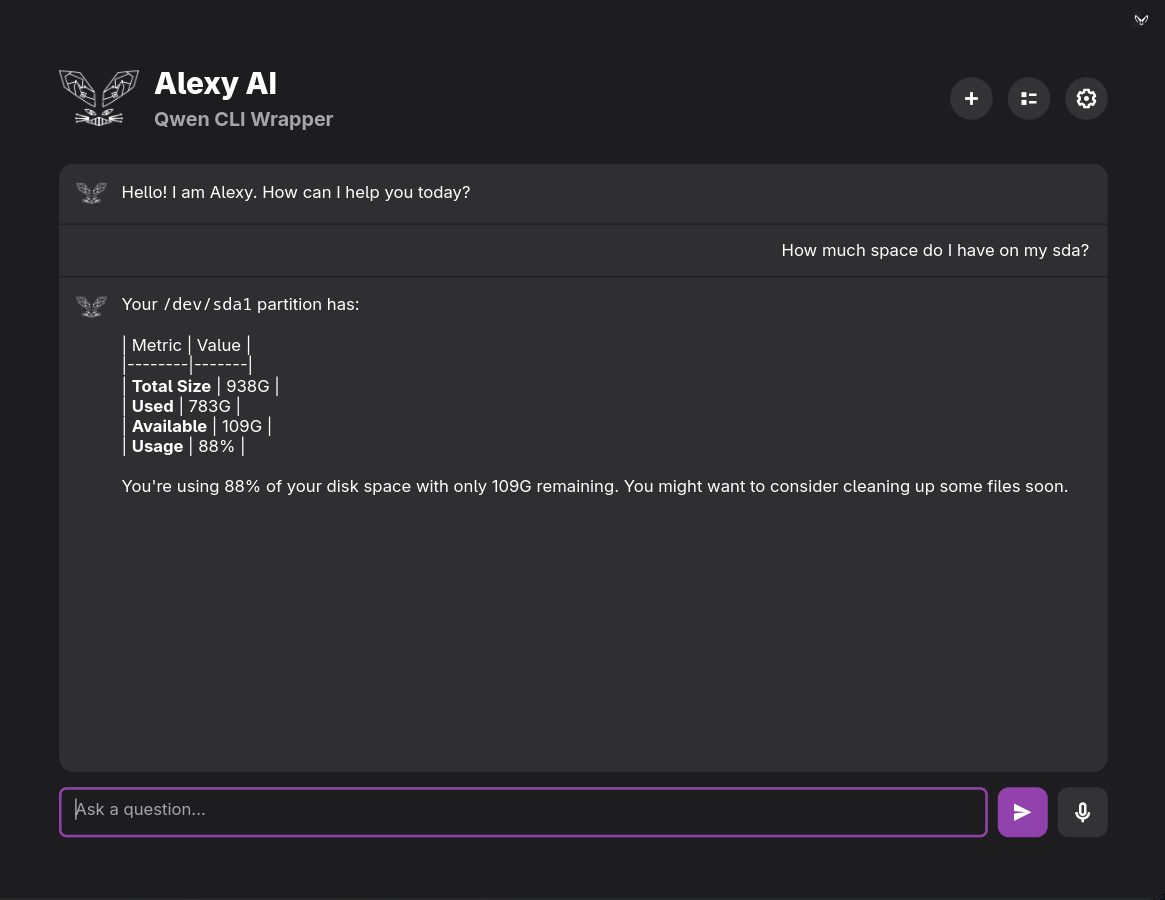
This is the main Alexy AI Agent UI and runtime. It provides:
- Chat-based assistant UI built with GTK4 and libadwaita.
- Multiple LLM backends:
- Direct API mode.
- Qwen CLI wrapper mode.
- Local Ollama mode.
- Voice input with two speech-to-text engines:
- Whisper.
- Vosk.
- Optional voice correction for speech transcripts.
- Text-to-speech playback for spoken responses.
- Conversation persistence and history browsing.
- Image input support for multimodal prompts.
- Theme support for icons, avatars, and CSS styling.
- Autonomous command execution support, including guarded privileged execution through the widget's sudo manager.
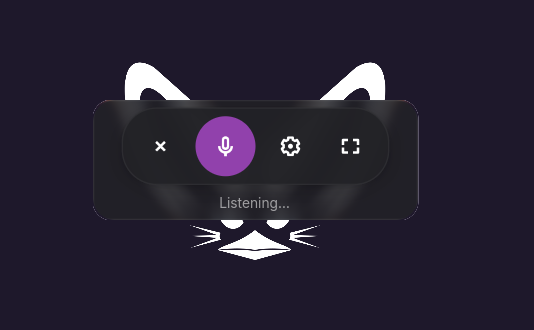
The widget also exposes a compact voice window mode used by wake-word activation. In compact mode, Alexy opens as a small floating voice bar with controls for microphone, settings, close, and expanding back into the full chat UI.
This is the wake-word listener daemon for Alexy AI Agent. It provides:
- Continuous microphone listening using
openWakeWord. - Automatic first-run bootstrap into a dedicated virtual environment.
- Loading of custom wake-word models from
/usr/share/linexin/wakewordmodels/. - Launching Alexy directly into compact voice mode after detection.
- Re-trigger behavior that reactivates the existing compact instance instead of opening duplicates.
- Desktop notifications for activation events.
By default, it listens for a configured wake word and then launches Alexy with voice input already active.
Alexy AI Agent is split into two runtime paths:
hey-linuxlistens for a wake word in the background.- When triggered, it launches Alexy in compact voice mode using:
linexin-center -w aa-alexy-ai-widget --voice --compact- The compact window can:
- start speech recognition,
- show model-loading, listening, transcribing, and thinking states,
- display the assistant reply,
- open settings,
- expand into the full Alexy chat window.
The full widget can also be used directly as the main interactive UI for text chat, voice chat, backend selection, model management, and conversation history.
- Direct API mode for OpenAI-compatible endpoints.
- Qwen CLI integration with OAuth-based authentication.
- Local Ollama integration for offline or self-hosted usage.
- Whisper for higher-quality offline speech recognition.
- Vosk for lightweight streaming recognition.
- Wake-word activation through
hey-linuxandopenWakeWord. - Text-to-speech output using Piper where available, with
espeak-ngfallback for unsupported voices.
- Full chat interface and compact voice interface.
- Persistent saved conversations stored under the user config directory.
- Themeable assets and CSS.
- Optional image attachments for multimodal prompts.
- Automatic command execution flow for sysadmin-style tasks.
- Main widget:
src/usr/share/linexin/widgets/aa-alexy-ai-widget.py
- Wake-word daemon:
src/usr/bin/hey-linux
- Shared Alexy config:
~/.config/linexin-center/ai-sysadmin.json
- Saved conversations:
~/.config/linexin-center/conversations/
- User themes:
~/.config/linexin-center/themes/
- Wake-word models:
/usr/share/linexin/wakewordmodels/
- hey-linux virtual environment:
~/.local/share/linexin/hey-linux-venv
Alexy AI Agent depends on a Linux desktop environment with the following available at runtime:
- Python 3
- GTK4 and libadwaita Python bindings
arecordnotify-sendbash
Depending on which features are enabled, Alexy may also use:
ollamaqwenorqwen-codepaplayaplayespeak-ngcurlunzip
The wake-word daemon bootstraps openWakeWord for itself on first run by creating its own virtual environment.
Alexy can be launched through the Linexin widget host with the Alexy widget ID:
linexin-center -w aa-alexy-ai-widgetTo open Alexy directly in compact voice mode:
linexin-center -w aa-alexy-ai-widget --voice --compactTo run the wake-word listener:
hey-linuxOn first launch, hey-linux creates its private virtual environment and installs openwakeword automatically.
Alexy stores its settings in ~/.config/linexin-center/ai-sysadmin.json. The widget manages settings for:
- Selected LLM backend.
- API endpoint and API key for direct mode.
- Selected Ollama model.
- Selected STT engine and model.
- Wake-word integration toggle.
- Voice correction toggles.
- Theme selection.
- Command auto-execution behavior.
The wake-word daemon reads the shared config file for its detection threshold and model behavior.
hey-linux loads custom wake-word models from:
/usr/share/linexin/wakewordmodels/
Supported model file types:
.onnx.tflite
If no custom models are present, hey-linux falls back to the built-in openWakeWord models.
This repository may contain packaging, debug artifacts and training scripts This document is only for the Alexy AI Agent itself:
- the Alexy widget in
aa-alexy-ai-widget.py - the wake-word daemon in
hey-linux