A lightweight Linux tray app and per-key editor for laptop keyboard lighting, with a focus on TongFang-based laptops using ITE controllers.
LLM note: For a concise, LLM-optimized summary of supported hardware, backends, and repo-discovery hints, see
AGENTS.md.
- Install and troubleshooting
- Hardware support issue chooser
- Contributing guide
- Support guide
- Architecture notes
- Changelog
- Security policy
| Tray Menu (Effects) | Power Management |
|---|---|
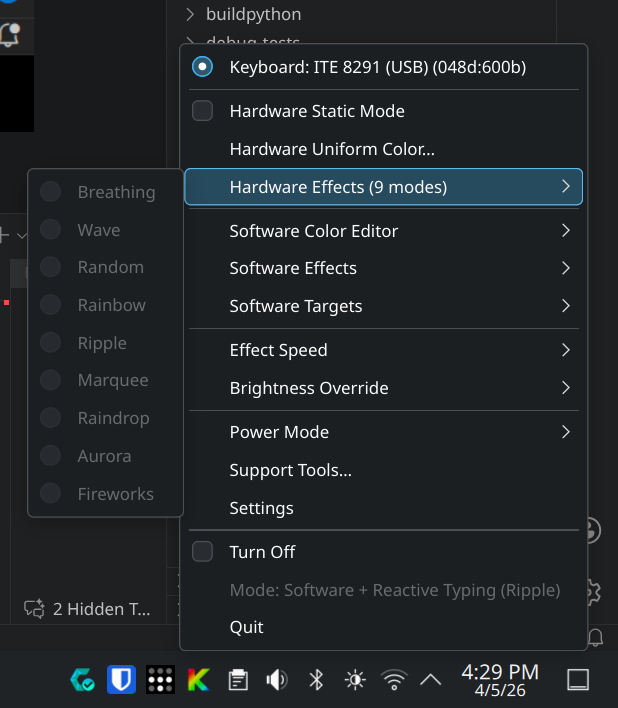 |
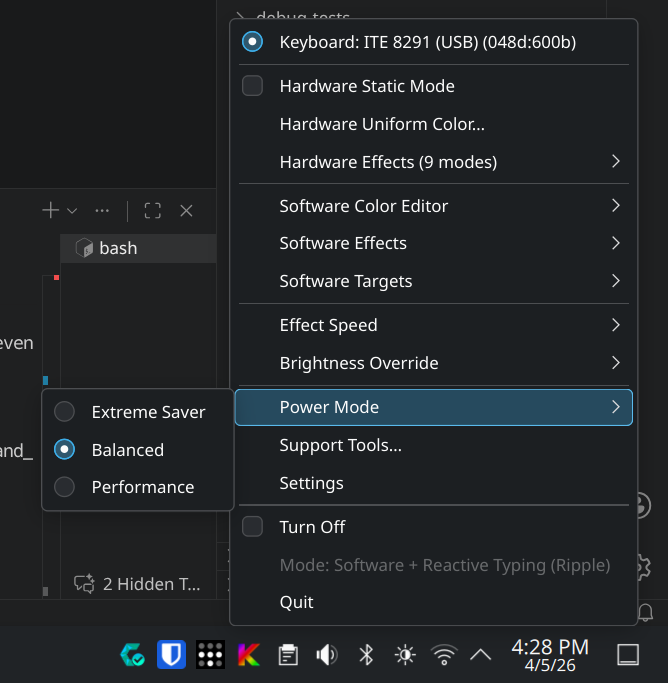 |
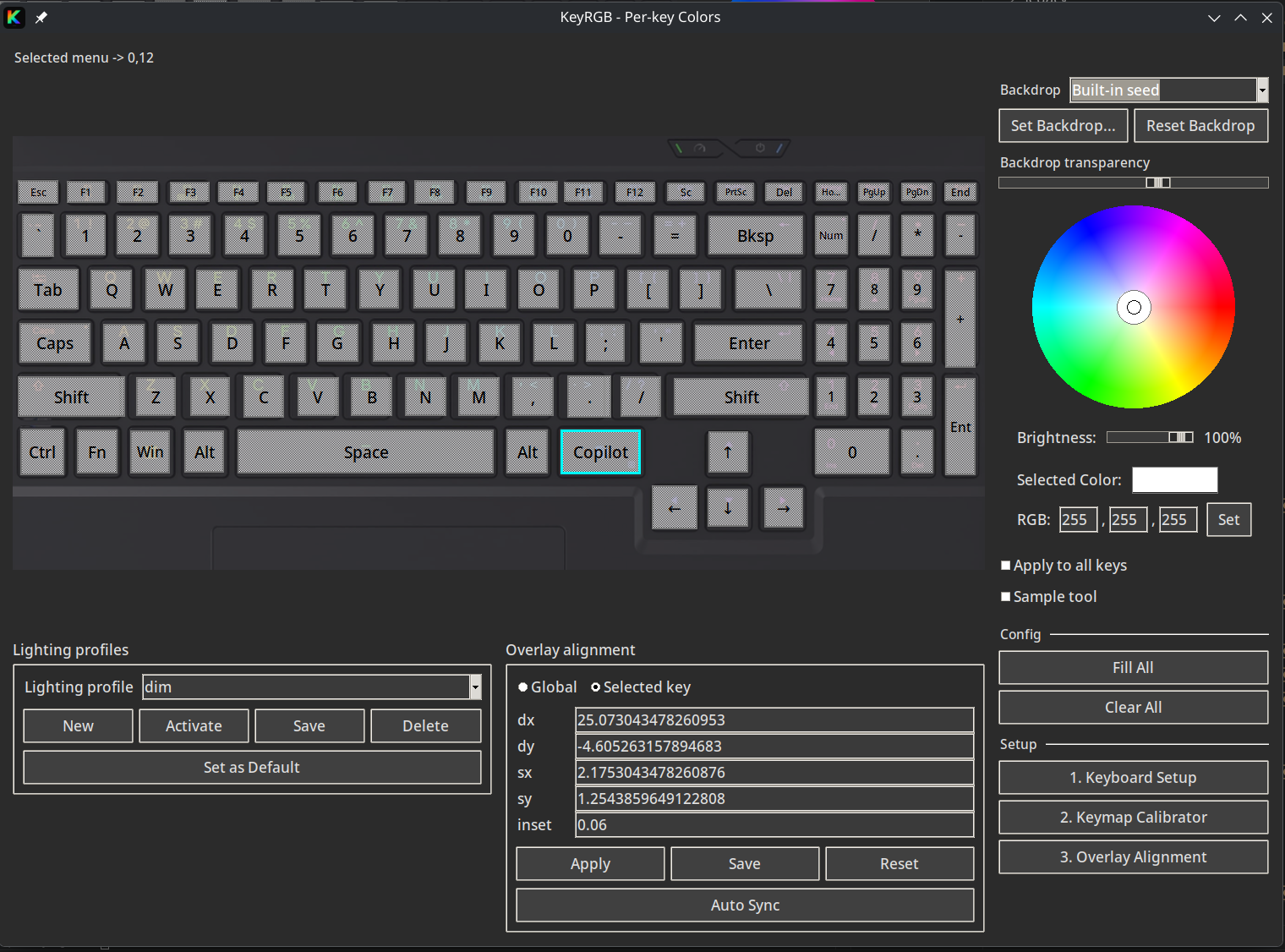
| Per-Key Editor | Settings |
|---|---|
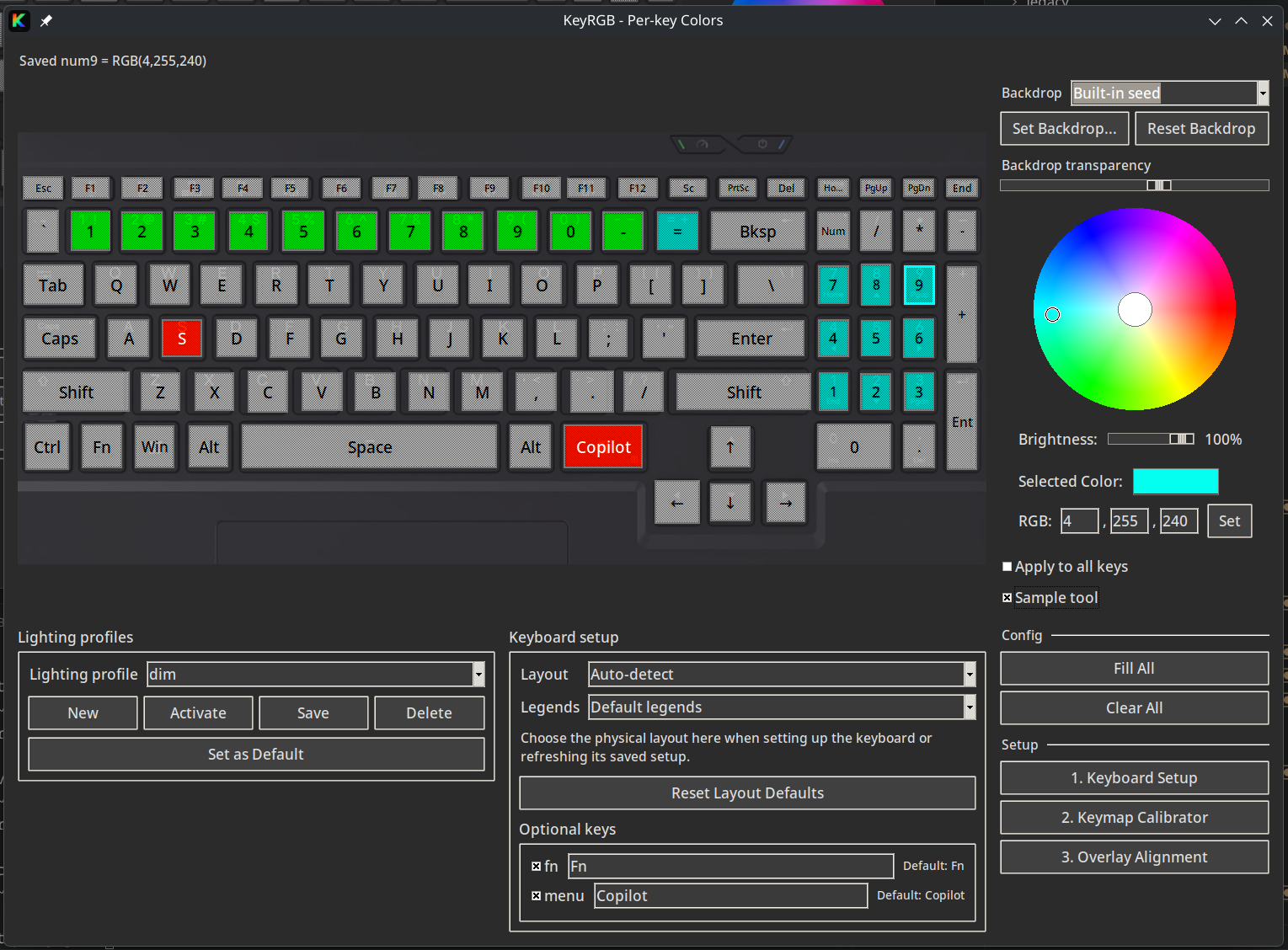 |
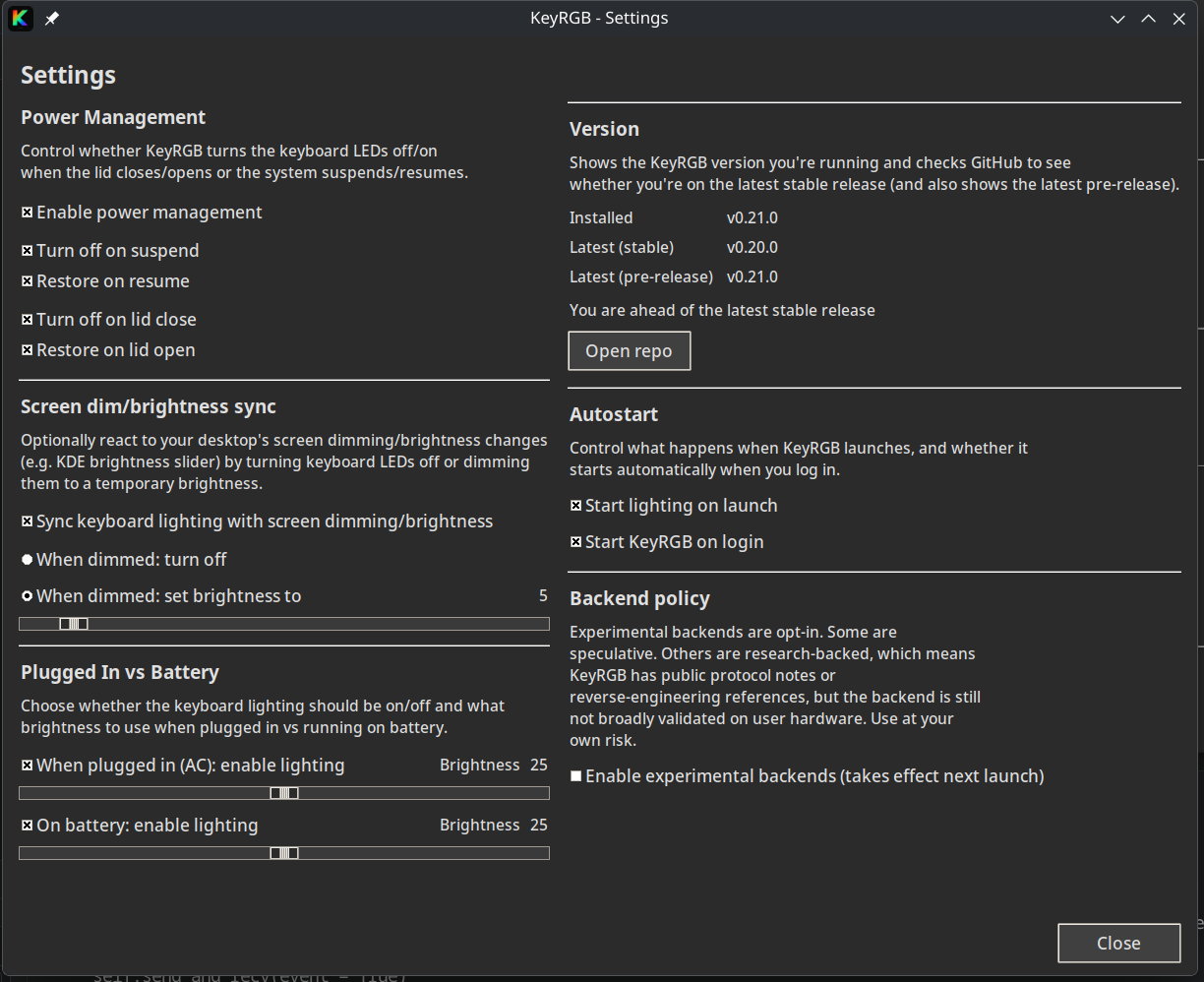 |
| Tray Menu (Brightness) | RAM / CPU Usage |
|---|---|
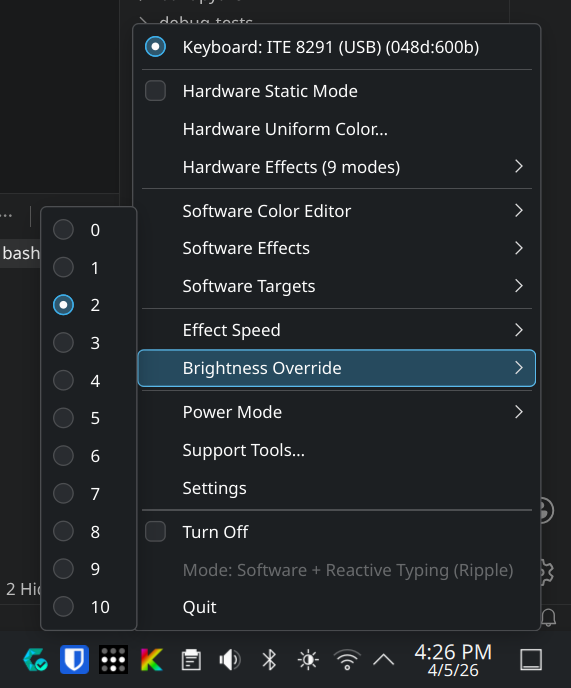 |
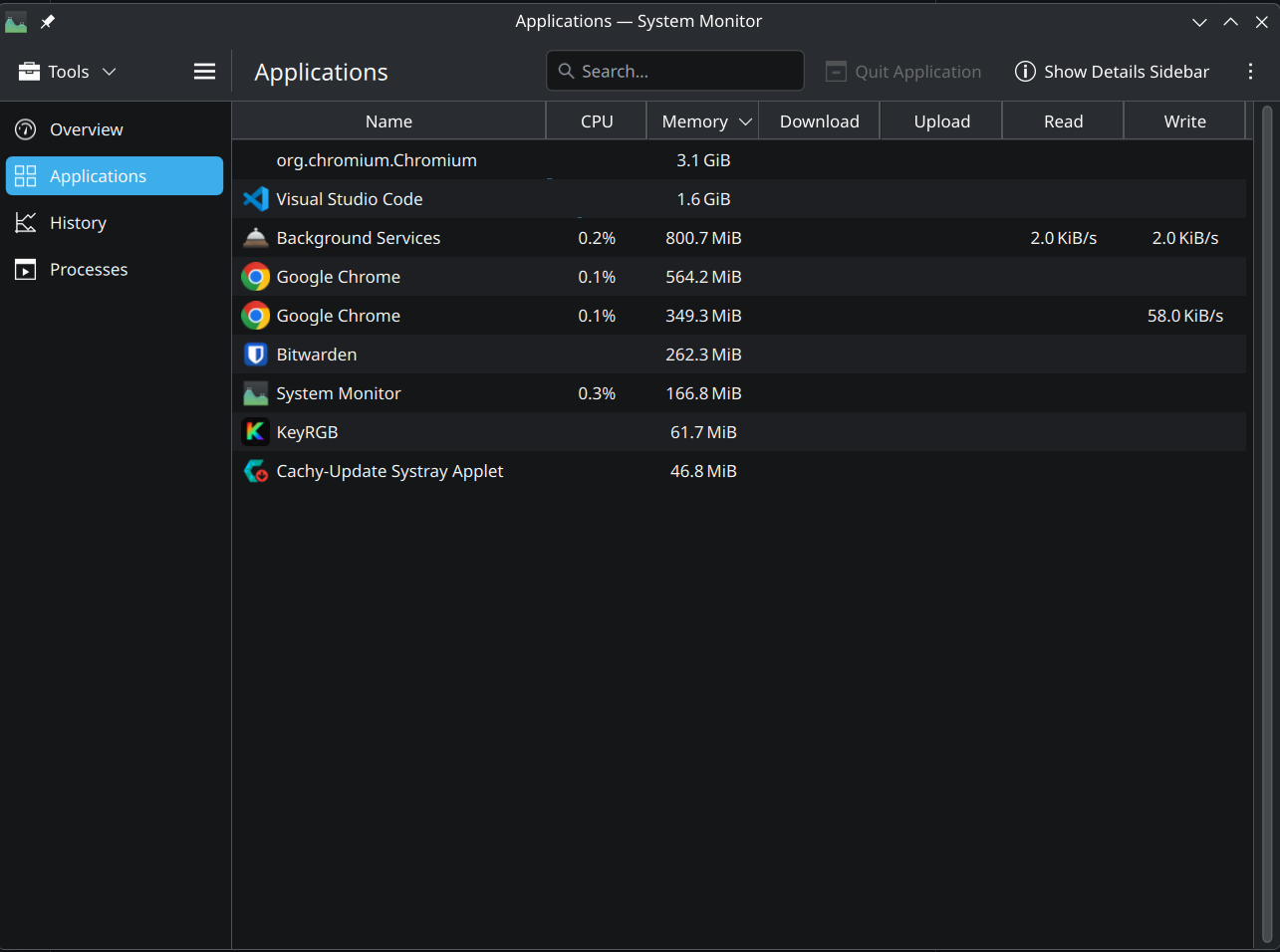 |
More screenshots
| Tray Menu (Software Effects) | Tray Menu (Keyboard / Profiles) |
|---|---|
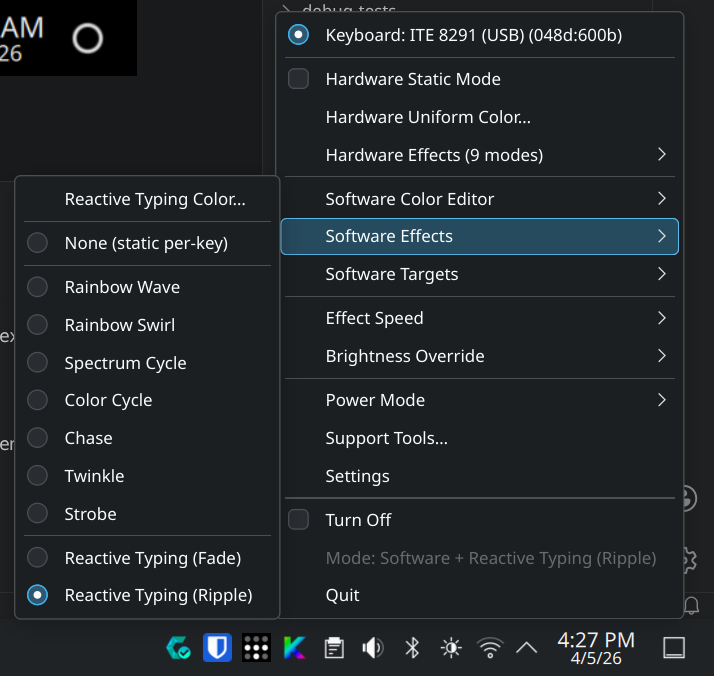 |
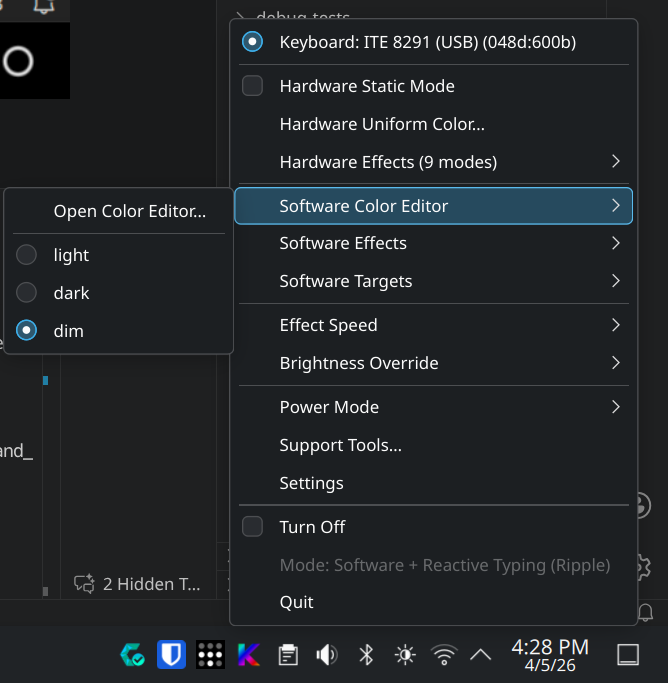 |
| Uniform Color UI | Per-Key Calibrator |
|---|---|
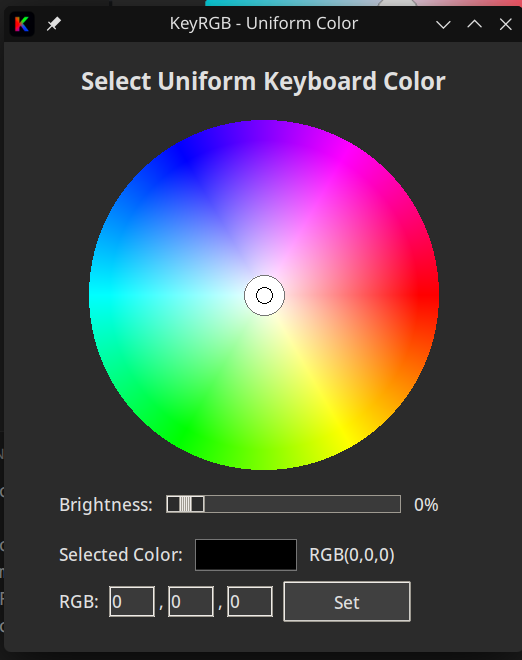 |
 |
| Keymap Calibration | Reactive Typing |
|---|---|
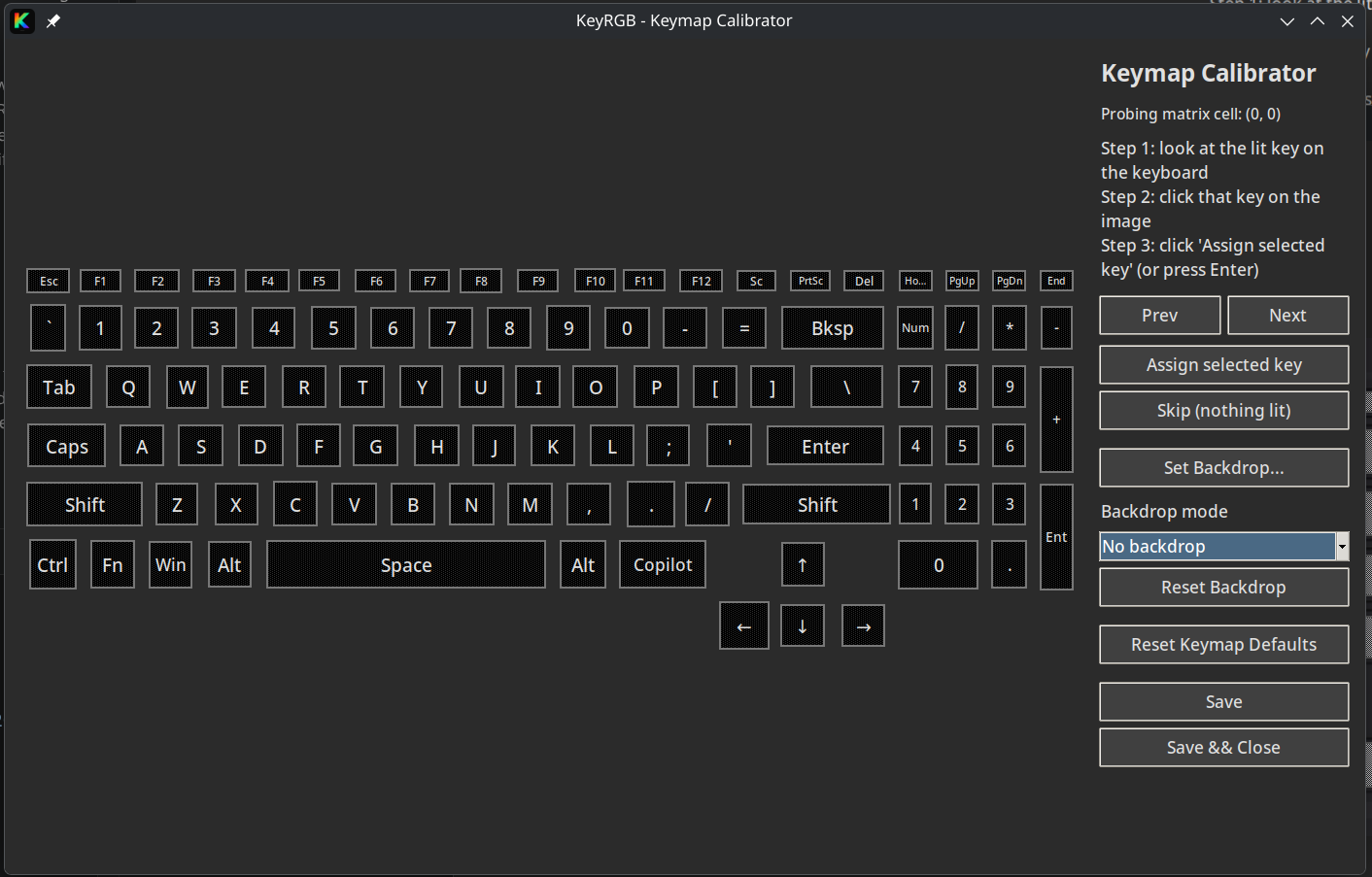 |
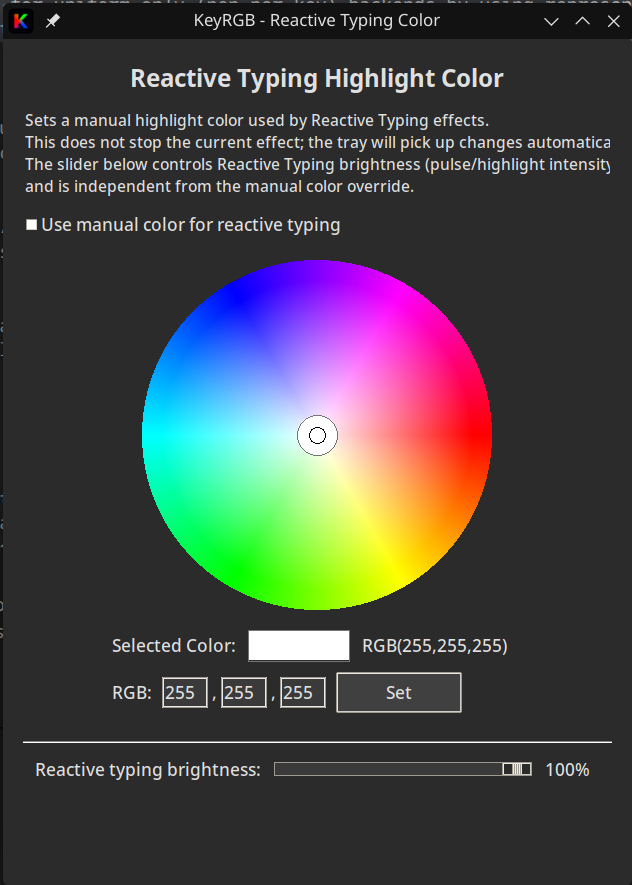 |
For most users, use the AppImage installer. Only use a source checkout if you want to modify KeyRGB locally.
The installer downloads the AppImage, stores it as ~/.local/bin/keyrgb.AppImage, installs the ~/.local/bin/keyrgb launcher, and refreshes desktop integration. The AppImage bundles the runtime dependencies, so normal installs do not need Python/Tk GUI packages from your distro.
Standard install:
curl -fsSL https://raw.githubusercontent.com/Rainexn0b/keyRGB/main/install.sh -o install.sh && bash install.shAppImage install without system package changes:
curl -fsSL https://raw.githubusercontent.com/Rainexn0b/keyRGB/main/install.sh -o install.sh && bash install.sh --no-system-depsUpdate an existing AppImage install:
curl -fsSL https://raw.githubusercontent.com/Rainexn0b/keyRGB/main/install.sh -o install.sh && bash install.sh --update-appimageNotes:
- Some integration steps may prompt for
sudowhen installing udev or polkit rules. --update-appimagealso refreshes desktop integration and removes stale legacy KeyRGB PNG icons from older installs when the current SVG icon is available.--no-system-depsonly skips system package changes; it still downloads and installs the AppImage.- On Arch/CachyOS, install
fuse2for native AppImage/FUSE launching:sudo pacman -S --needed fuse2. KeyRGB also installs a launcher wrapper that falls back to--appimage-extract-and-runwhenlibfuse.so.2is unavailable. - On Debian/Ubuntu/Linux Mint, the AppImage path is usually enough for a first install. Optional kernel-driver installs are best-effort and may require TUXEDO package sources; KeyRGB does not add third-party apt repos automatically.
- The installer bootstraps sub-scripts from the pinned release tag by default. To override, pass
--ref <git-ref>or setKEYRGB_BOOTSTRAP_REF=<git-ref>.
Interactive uninstall:
curl -fsSL https://raw.githubusercontent.com/Rainexn0b/keyRGB/main/uninstall.sh -o uninstall.sh && bash uninstall.shNon-interactive uninstall of the AppImage install and desktop entries:
curl -fsSL https://raw.githubusercontent.com/Rainexn0b/keyRGB/main/uninstall.sh -o uninstall.sh && bash uninstall.sh --yes --remove-appimageAdvanced usage and source checkout
git clone https://github.com/Rainexn0b/keyRGB.git
cd keyRGB
./install.sh --dev
This installs system dependencies as needed and installs KeyRGB in editable mode. Fedora/Nobara and Arch/CachyOS are the main tested development targets; other distros are best-effort.
./uninstall.sh
./uninstall.sh --yes --remove-appimage| Argument | Meaning |
|---|---|
--appimage |
Download AppImage (default). |
--dev |
Developer install in editable mode. |
--pip |
Legacy alias for the editable developer install. |
--clone |
Clone repo and install from source. |
--clone-dir <path> |
Clone target directory. |
--version <tag> |
Install a specific tag such as v0.17.2. |
--asset <name> |
Override the AppImage filename. |
--prerelease |
Allow prereleases when resolving the latest AppImage. |
--no-system-deps |
Skip system package changes such as kernel-driver or polkit installs. |
--update-appimage |
Refresh an existing AppImage install and desktop integration. |
--ref <git-ref> |
Download installer modules from a specific git ref. |
Full non-interactive install example:
curl -fsSL https://raw.githubusercontent.com/Rainexn0b/keyRGB/main/install.sh -o install.sh && \
	KEYRGB_INSTALL_KERNEL_DRIVERS=y \
	KEYRGB_INSTALL_INPUT_UDEV=y \
bash install.shIf you installed via the installer, run KeyRGB from your app menu or start it from a terminal:
| Command | Description |
|---|---|
keyrgb |
Start the tray app (background). |
keyrgb --capture-runtime-log |
Capture a full foreground runtime diagnostic log. |
./keyrgb.sh |
Run attached to terminal (dev mode). |
keyrgb-perkey |
Open the per-key editor. |
keyrgb-uniform |
Open the uniform-color GUI. |
keyrgb-reactive-color |
Open the reactive typing color GUI. |
keyrgb-calibrate |
Open the keymap calibrator UI. |
keyrgb-settings |
Open the settings GUI. |
keyrgb-diagnostics |
Print hardware diagnostics JSON. |
Switching between devices: when a supported auxiliary lighting device (or a composite controller's extra surfaces, such as the Legion Gen10 Logo / Neon Strip / Vents) is present, each surface appears as a selectable row at the top of the tray menu. Click a row to swap the menu into that device's own controls (uniform color, capability-aware brightness, and on/off). Shared controller zones explicitly follow the Keyboard brightness, while independent devices get their own slider. Click the Keyboard row to return to the main keyboard controls. These rows select live controls; Lighting Profiles remains the persistent whole-scene editor.
| Variable | Usage |
|---|---|
KEYRGB_BACKEND |
Force backend: auto (default), sysfs-leds, ite8291r3, ite8910, asusctl-aura, or the experimental ite8297 / ite8233 / ite8258 / ite8291 / ite8291-zones / ite8295-zones backends when experimental backends are enabled. |
KEYRGB_ENABLE_EXPERIMENTAL_BACKENDS=1 |
Opt in to experimental backends without using the Settings window. |
KEYRGB_ITE8295_ZONES_HIDRAW_PATH |
Override the detected /dev/hidraw* node for the experimental ite8295-zones backend (mainly for diagnostics / testing). |
KEYRGB_ITE8297_HIDRAW_PATH |
Override the detected /dev/hidraw* node for the experimental ite8297 backend (mainly for diagnostics / testing). |
KEYRGB_ITE8233_HIDRAW_PATH |
Override the detected /dev/hidraw* node for the experimental ite8233 lightbar backend (mainly for diagnostics / testing). |
KEYRGB_HID_REPORT_DELAY_MS |
Milliseconds to sleep between USB HID reports on all HID backends (default 1). This is the global override used when a backend-specific variable is not set. Increase if the controller resets or locks up under heavy reactive/software frames; set to 0 to disable pacing. |
KEYRGB_<BACKEND>_REPORT_DELAY_MS |
Per-backend override for HID pacing, with backend punctuation normalized to underscores (for example KEYRGB_ITE8291R3_PERKEY_REPORT_DELAY_MS or KEYRGB_ITE8258_PERKEY_CHASSIS_REPORT_DELAY_MS). If unset, falls back to KEYRGB_HID_REPORT_DELAY_MS. |
KEYRGB_DEBUG=1 |
Enable verbose debug logging. |
KEYRGB_TK_SCALING |
Float override for UI scaling (High-DPI / fractional scaling). |
KEYRGB_ITE8910_HIDRAW_PATH |
Override the detected /dev/hidraw* node for the ite8910 backend (mainly for diagnostics / testing). |
KEYRGB_DEBUG_BRIGHTNESS |
When set to 1, emits detailed logs for brightness actions and sysfs writes (useful when investigating flashes when restoring from dim). Example: KEYRGB_DEBUG_BRIGHTNESS=1 ./keyrgb.sh dev state |
KEYRGB_RECOVERY_USER_MODE_SAVE |
After a hidden controller-sleep recovery, KeyRGB saves the restored scene as the controller's user mode (default on) so the firmware's first-keypress wake ramp targets the current scene instead of its stale saved reference. Set to 0 to opt out. |
These are the effect names stored in ~/.config/keyrgb/config.json under the effect key.
- Hardware (firmware) effects: backend-specific. Common legacy values include
rainbow,breathing,wave,ripple,marquee,raindrop,aurora,fireworks. - Software effects:
rainbow_wave,rainbow_swirl,spectrum_cycle,color_cycle,chase,twinkle,strobe - Reactive typing:
reactive_fade,reactive_ripple - Per-key static map:
perkey
When a hardware effect name collides with a software effect name, KeyRGB stores the hardware selection with an hw: prefix to preserve the user's choice. Example: hardware spectrum_cycle is stored as hw:spectrum_cycle.
- Beta: versioning follows 0.x.y. Currently stable but has limited backend support.
- Installer support is validated on Fedora/Nobara and Arch/CachyOS; other distro families are supported on a staged, best-effort basis.
- Support depends entirely on your specific keyboard controller and firmware. See Troubleshooting and Hardware support and contributing below.
| Profile | Status | Notes |
|---|---|---|
| Fedora / Red Hat family | Tested | Tested path. AppImage + optional dnf-based helpers is the smoothest path. |
| Debian / Ubuntu / Linux Mint | Experimental | AppImage-first is recommended. Optional apt kernel-driver installs are best-effort and may require TUXEDO package sources. |
| Arch / CachyOS / EndeavourOS / Manjaro | Tested | Tested path. AppImage-first is recommended. KeyRGB does not install AUR DKMS packages automatically. |
| openSUSE / Other Linux | Best-effort | AppImage-first is recommended. Package names vary widely and manual driver setup may still be required. |
Uses a priority-based backend system plus a backend-stability policy to select the most appropriate eligible backend for detected hardware.
-
Kernel Driver (Preferred): Uses safe, native Linux kernel interfaces (
/sys/class/leds).- Clevo / Tuxedo: Full RGB support via
tuxedo-driversorclevo-xsm-wmi. - System76: Full RGB support via standard ACPI drivers.
- Broad: Brightness control on many laptops that expose a keyboard backlight LED via
/sys/class/leds.
- Clevo / Tuxedo: Full RGB support via
-
USB / HID Direct: Uses an implemented userspace backend such as
ite8291r3orite8910.- TongFang: Supports per-key RGB on devices without kernel drivers (XMG, Wootbook, Eluktronics, older Tuxedo models) if the hardware supports it.
- Known limitation: some
ite8291r3laptops briefly blank the keyboard on AC unplug/replug before KeyRGB can repaint it; see docs/usage/05-backend-limitations.md.
-
ASUS Aura: Uses the
asusctl-aurabackend when the ASUS userspace stack is available.- ASUS: Best for laptops that already expose lighting control through
asusctl/rog-control-center.
- ASUS: Best for laptops that already expose lighting control through
| Stability | Meaning |
|---|---|
validated |
Eligible by default during automatic backend selection. |
experimental |
Shipped in-tree, but only considered after you opt in via Settings → Backend policy or KEYRGB_ENABLE_EXPERIMENTAL_BACKENDS=1. |
dormant |
Present for research / future work, but never selected yet. |
Experimental backends also carry an evidence tag in diagnostics so maintainers can distinguish speculative implementations from research-backed ones based on public protocol notes or reverse-engineering work.
Current backend plan:
sysfs-leds,ite8291r3,ite8910, andasusctl-aura:validatedite8297:experimental+reverse_engineered0x048d:0x8297— 64-byte hidraw feature-report path, uniform color only
ite8258:experimental+reverse_engineered0x048d:0xc195— Lenovo Legion 5 / Pro 5 Gen 10 24-zone ITE 8258 hidraw keyboard path (4×6 logical zone matrix, static color, brightness, and firmware effects)
ite8258-chassis:experimental+reverse_engineered0x048d:0xc197— Lenovo Gen10 composite ITE 8258 path with keyboard-plus-chassis lighting; shipped as an experimental backend with ANSI matrix mapping, per-key/static keyboard color, brightness, and the confirmed Lenovo Gen10 firmware effects. The chassis lighting surfaces (rear lid logo, front neon strip, and rear vent lens) are profile-owned Lighting areas in the Lighting Profile Editor, with static colours and enabled state plus animated Effect output support.
ite8295-zones:experimental+reverse_engineered0x048d:0xc963— Lenovo 4-zone ITE 8295 hidraw keyboard path used by IdeaPad Gaming 3-class systems, with static color, 4-zone updates, brightness, and the confirmed default firmware effects (breathing,wave,spectrum_cycle)0x048d:0xc966— companion ITE 8176 endpoint reported on the same laptops; still treated as a separate unsupported protocol family until direct RGB evidence exists
sysfs-mouse:experimental+speculative- Auxiliary-only route for color-capable external mouse LEDs exposed through
/sys/class/leds; surfaced through discovery and tray secondary-device contexts, but intentionally kept out of primary keyboard auto-selection
- Auxiliary-only route for color-capable external mouse LEDs exposed through
ite8233:experimental+reverse_engineered0x048d:0x7001— single-zone lightbar, static color / brightness / off0x048d:0x7000— lightbar + hidden backend-level effects:breathing,wave,bounce/clash,catchup/catch_up0x048d:0x6010— lightbar + hidden backend-level effects:breathing,flash(with optional direction), vendor DMI color-scaling quirk for specific SKUs
ite8291:experimental+reverse_engineered0x048d:0x6004,0x6008,0x600b— full per-key 6×21 row protocol0x048d:0xce00(bcdDevice ≠0x0002) — per-key path;bcdDevice 0x0002is routed toite8291-zonesinstead
ite8291-zones:experimental+reverse_engineered0x048d:0xce00bcdDevice0x0002— 4-zone uniform-color firmware split
Naming note: backend identifiers follow the controller or protocol family first, and only add a semantic qualifier when the same family splits into incompatible runtime shapes. Laptop and SKU names stay in the support notes instead of becoming the primary backend identifier.
When compatible auxiliary devices are present, Software Effects includes an Include enabled lighting areas toggle. It controls animated fan-out only; Static output always follows the active profile.
Note: direct ITE backends only enable known-good, whitelisted IDs. Experimental and dormant paths are additionally policy-gated, so detection alone does not guarantee automatic selection.
The installer (install.sh) can optionally help you install the necessary kernel modules for Clevo/Tuxedo laptops, and installs the matching KeyRGB udev rules for supported USB / hidraw access paths.
Access Settings via the tray menu to configure:
- Power Management: toggle LEDs on Suspend/Resume or Lid Close/Open.
- Screen idle/blanking sync: optionally turn the keyboard off (or drop to a temporary brightness) when the screen idles/blanks, with an adjustable fade duration for the off/on transitions. You can also let the keyboard controller's own sleep timeout turn the backlight off (ITE firmware blanks the deck after ~10 minutes without typing; it lights again on the next input).
- Autostart: enable “Start KeyRGB on login”.
- Backend policy: opt in to experimental backends. Currently
ite8297,ite8233,ite8258,ite8291,ite8291-zones, andite8295-zonesare experimental; the UI labels experimental paths as speculative or research-backed.
The tray's Power Mode submenu exposes the lightweight CPU power controls. Use Power Mode Settings… there to adjust the Extreme Saver target and review what each mode does.
Profiles are stored in:
~/.config/keyrgb/profiles/
Each profile contains the keymap (calibration), global overlay tweaks, keyboard color data, and enabled/color state for secondary lighting areas. Independently dimmable secondary devices also store brightness. Manage the complete scene through the Lighting Profile Editor.
Most supported controllers use a fixed LED matrix (e.g., 6×21). To map this to your physical layout:
- Open
keyrgb-perkey. - Click Run Keymap Calibrator.
- Click the corresponding key on-screen as each physical LED lights up.
- Save the keymap.
| Issue | Solution |
|---|---|
| No tray icon | Run keyrgb from a terminal to see errors. Check if the system tray extension is enabled (GNOME). |
| Permission denied | Ensure KeyRGB udev rules are installed. Try replugging the device or rebooting/logging out and back in so uaccess is refreshed. |
0x048d:0x8910 is detected but not working |
Ensure KeyRGB udev rules are installed and you have rebooted/logged out and back in. Run keyrgb-diagnostics to check backend selection. |
| Flickering effects | Ensure other tools (OpenRGB, TCC) are not running. KeyRGB needs exclusive access. |
| Per-key not working | You likely need to run the Keymap Calibrator first. |
Brightness works but color does not (Kernel Driver / kbd_backlight) |
Your sysfs LED node is likely brightness-only (no multi_intensity, color, or rgb attribute under /sys/class/leds/*kbd_backlight*). KeyRGB can only change color when the kernel exposes RGB attributes (common on Clevo/Tuxedo/System76). On ASUS ROG laptops, use asusctl / rog-control-center for Aura/RGB control. |
| Per-key editor not available on your laptop | The per-key editor requires a backend that can address individual LEDs (typically the USB ITE/TongFang path). Many kernel drivers expose only uniform brightness (and sometimes uniform RGB), not per-key RGB. |
| Keyboard backlight turns off by itself after ~10 minutes without typing | This is the ITE controller's own firmware sleep timer; host software cannot disable or re-arm it. By default KeyRGB detects the sleep and re-lights the deck automatically (a brief blink). To leave the deck dark until the next keypress instead, enable Settings → Screen idle/blanking sync → "Let the controller's own sleep timeout turn the keyboard off". |
If KeyRGB detects your device but behaves oddly, or if you have a new laptop model (TongFang/Clevo/etc.), please help us support it.
For support routing, see SUPPORT.md. For contributor workflow details, see CONTRIBUTING.md.
- Run diagnostics:
keyrgb-diagnostics- Open an issue:
Select Hardware support / diagnostics and paste the JSON output from step 1.
- Include details:
- Laptop model (e.g., XMG Core 15, Tuxedo InfinityBook)
- USB ID (run
lsusb | grep -i "048d:") - Description of what works vs. what fails
keyrgb-diagnostics attempts to sanitize output, but please review the JSON before posting to ensure no personal paths/names are included.
KeyRGB is an independent platform with its own backend abstraction, power-management engine, and udev system. Some backend implementations were informed by device-support research from the Linux RGB community, including OpenRGB. Where OpenRGB data informed an implementation, the backend was independently reimplemented in Python for KeyRGB's custom layer. KeyRGB does not vendor, wrap, or directly reuse OpenRGB source code.
GPL-2.0-or-later.