


VerticalTree renders tree-structured data as a vertical, foldable UIKit list. It also provides console-friendly tree formatting for custom models, views, layers, and view controllers.
- Xcode 26.2
- Swift 6 language mode
- iOS 26.2+
- CocoaPods
Install the default package, which includes Core, UI, and PrettyExtension:
pod 'VerticalTree'Install only the data model and pretty-printing core:
pod 'VerticalTree/Core'Install the UIKit/CALayer/UIViewController pretty-print extensions:
pod 'VerticalTree/PrettyExtension'The old checked-in Xcode demo has been replaced by a source-only demo generated on demand with XcodeGen and CocoaPods.
./GenerateDemo.commandThe command rebuilds Demo/VerticalTreeDemo.xcworkspace from Demo/project.yml, runs pod install, and opens the workspace. Generated files such as Demo/Pods, Demo/*.xcodeproj, Demo/*.xcworkspace, and Demo/Podfile.lock are intentionally ignored by Git.
The demo includes:
- custom structured data trees
- a deterministic sample forest
- UIView, UIWindow, and CALayer hierarchy inspection
- console pretty-print examples


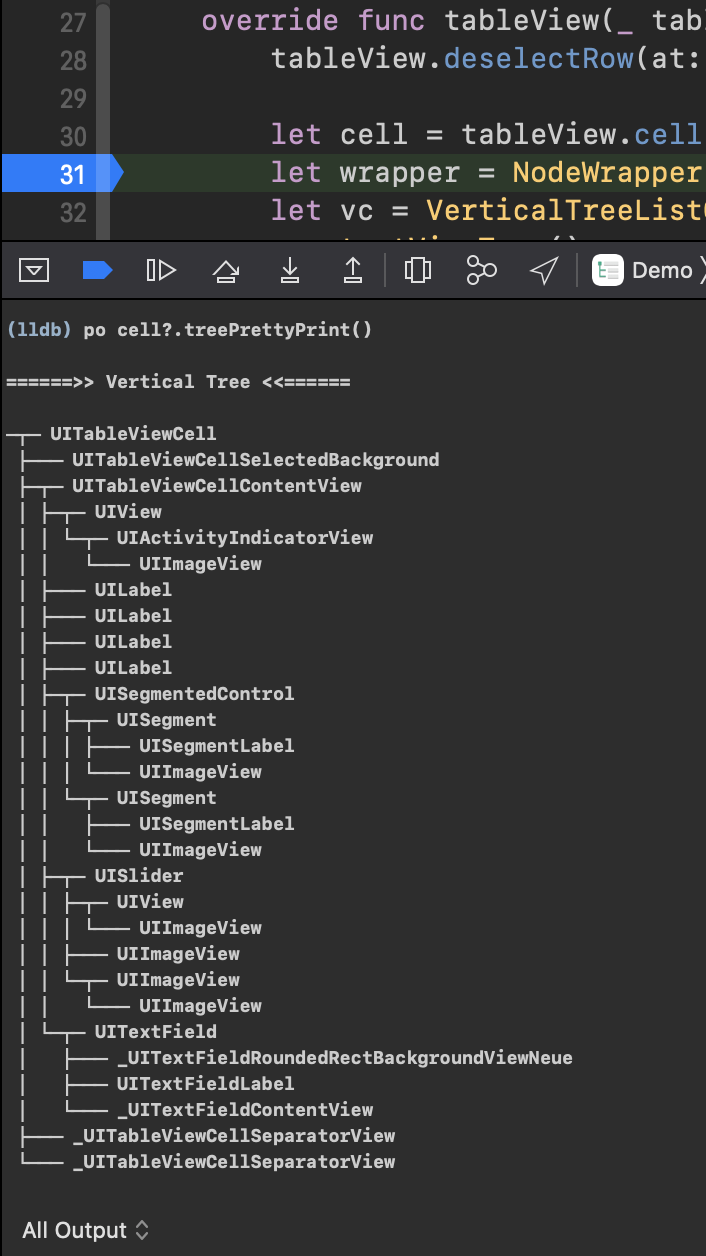


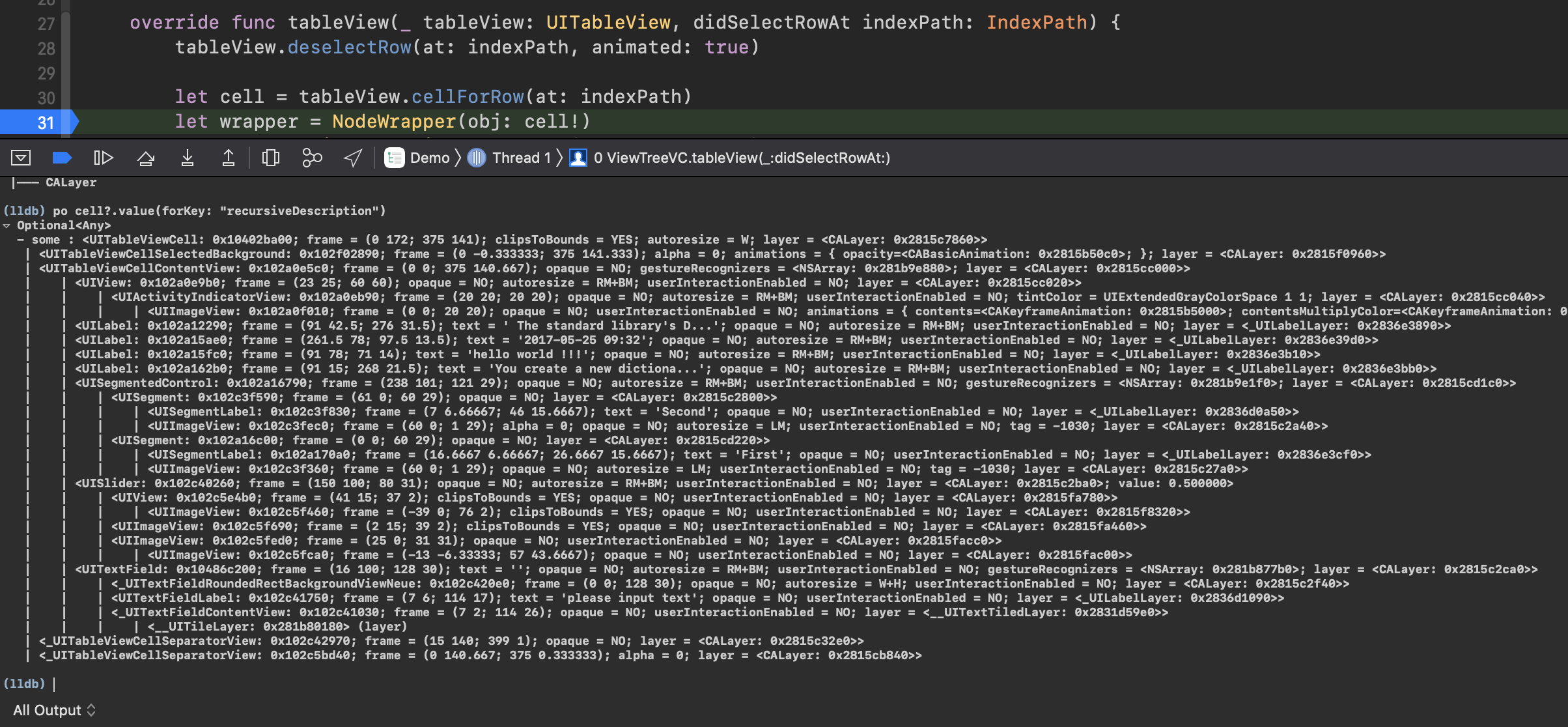
VerticalTree
├── Core
│   ├── VerticalTreeProtocol
│   ├── VerticalTreeProtocolExtension
│   └── VerticalTreeNodeWrapper
├── UI
│   ├── VerticalTreeCell
│   ├── VerticalTreeIndexView
│   └── VerticalTreeListController
└── PrettyExtension
    └── VerticalTreePrettyPrint
public protocol Infomation {
    var nodeTitle: String { get }
    var nodeDescription: String? { get }
}

public typealias Information = Infomation

public protocol BaseNode {
    associatedtype T: BaseNode
    var parent: T? { get }
    var childs: [T] { get }
}

public protocol IndexPathNode: BaseNode {
    var indexPath: IndexPath { get }
}

public protocol VerticalTreeNode: IndexPathNode where Self.T == Self {
    var length: TreeNodeLength { get }
    var info: Infomation { get }
    var isFold: Bool { get set }
}
Infomation is kept for source compatibility. New code can use the correctly spelled Information alias when referring to the same protocol type.
Create a model that conforms to VerticalTreeNode. Keep parent weak for reference types to avoid retain cycles.
final class DemoTreeNode: NSObject, VerticalTreeNode {
    weak var parent: DemoTreeNode?
    var childs: [DemoTreeNode]
    var indexPath: IndexPath
    var length: TreeNodeLength = .index(180)
    var isFold = false

    var info: Information { self }
    var nodeTitle: String
    var nodeDescription: String?

    init(
        title: String,
        description: String? = nil,
        children: [DemoTreeNode] = []
    ) {
        self.nodeTitle = title
        self.nodeDescription = description
        self.childs = []
        self.indexPath = IndexPath(index: 0)
        super.init()
        setChildren(children)
    }

    private func setChildren(_ children: [DemoTreeNode]) {
        childs = children
        children.enumerated().forEach { offset, child in
            child.parent = self
            child.reindex(indexPath.appending(offset))
        }
    }

    private func reindex(_ path: IndexPath) {
        indexPath = path
        childs.enumerated().forEach { offset, child in
            child.parent = self
            child.reindex(path.appending(offset))
        }
    }
}
Display one or more root nodes:
let controller = VerticalTreeListController<DemoTreeNode>(style: .plain)
controller.title = "Sample Forest"
controller.rootNodes = DemoTreeNode.sampleForest()
navigationController?.pushViewController(controller, animated: true)
Handle selection yourself instead of using the built-in fold/unfold behavior:
controller.didSelectHandler = { node in
    print(node.info.nodeTitle)
}
didSelectedHandle is still available as a deprecated compatibility alias. Prefer didSelectHandler in new code.
NodeWrapper can wrap any NSObject & BaseNode where the node type points back to itself. The PrettyExtension module already makes UIView, CALayer, and UIViewController usable as tree sources.
let wrapper = NodeWrapper(obj: view).changeProperties { node in
    node.length = .index(180)
    node.isFold = node.currentDeep > 2
    if let view = node.obj {
        node.nodeDescription = "\(type(of: view)) frame: \(view.frame)"
    }
}

let controller = VerticalTreeListController(source: wrapper)
controller.title = "Preview View"
navigationController?.pushViewController(controller, animated: true)
NodeWrapper keeps the wrapped object weakly. If the original object is released, the wrapper still keeps basic node structure, but object-derived debug text may become unavailable.
print(view.treePrettyText(inDebug: true))
view.treePrettyPrint()
view.rootNode.treePrettyPrint(inDebug: true)
You can also print a custom VerticalTreeNode:
print(rootNode.subTreePrettyText(moreInfoIfHave: true))UIView and UIViewController conform to BaseNode through @MainActor isolated conformances. Access UI tree APIs from the main actor.
The list cell copy menu uses UIEditMenuInteraction, replacing the deprecated UIMenuController APIs.
XcodeYang, xcodeyang@gmail.com
VerticalTree is available under the MIT license. See the LICENSE file for more info.