New Demo: Elements Grouping #1693

Replies: 3 comments 5 replies

-
|
@kumilingus A very cool demo, thanks. I have a question about a particular behavior:
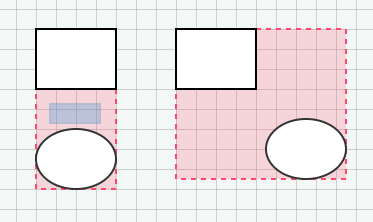
The above does not reposition the group, but causes the blue field to appear. It means we are selecting multiple new blocks instead. Is that intentional? Is there a way to change it so that dragging the red field changes the position of the whole group? |
Beta Was this translation helpful? Give feedback.

-
|
It was an intention. If you want the group itself to be draggable remove the |
Beta Was this translation helpful? Give feedback.
-
|
What would be the preferred way to implement a feature of collapsing a group of elements so that they take less space? I would also like to give a group a label. |
Beta Was this translation helpful? Give feedback.
-
|
Here's an example of a collapsible group with a label. |
Beta Was this translation helpful? Give feedback.

-
|
Is there a way to group the elements on the SVG level? The current demo creates a What I'd like to achieve: My intention is to be able to attach a clip path to the group element in order to hide overflowing elements that are embedded inside the group element. E.g: If inserting elements into another elements on the SVG level is not possible, is there any other way I can achieve this? |
Beta Was this translation helpful? Give feedback.
-
|
That's the kind of grouping we would like to implement eventually :) It's good from a performance aspect too - you can modify a single Before that happens...
|
Beta Was this translation helpful? Give feedback.

-
|
Ohh!! I was just about to ask about the performance aspect of this :) The entire
|
Beta Was this translation helpful? Give feedback.
-
|
Beta Was this translation helpful? Give feedback.


Uh oh!
There was an error while loading. Please reload this page.
-
How to group several elements into a single entity? And how to ungroup them?
See this CodePen featuring custom
ui.Selectionhandles,embeddinggraph feature, andstopDelegationinteractivity option.Beta Was this translation helpful? Give feedback.
All reactions