
The TripAdvisor Silk Plugin extends Silk to reconcile with TripAdvisor locations.
Data publishers that need to link their data to 3rd party platforms such as TripAdvisor can use this plugin in their existing or new Silk workflow to match Point of Interests (POIs) with TripAdvisor locations, adding the TripAdvisor location id or URL to their data.
Table of Contents
Compile the library to a JAR file and copy it to Silk plugins folder (~/.silk/plugins).
The TripAdvisor plugin supports the following parameters:
- appKey: the TripAdvisor app key,
- prefix: the prefix to prepend to the TripAdvisor location id (if you want to link to TripAdvisor web site, use http://tripadvisor.com/),
- limit: the maximum number of results (use 1 to get the best match).
If you don't have a TripAdvisor app key, you can request one here: TripAdvisor web site
The TripAdvisor plugin can be used both in transforms and in linking. The following example covers the transform configuration. For this example to work the silk-geocoding-plugin is also needed.
Create a new transform by clicking the transform button:

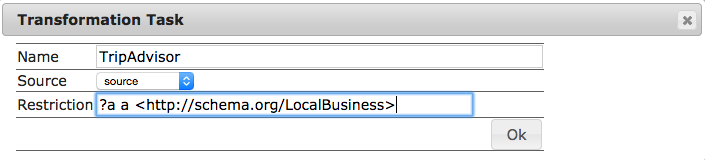
Name the transform, choose a source dataset and set a restriction:
Once created, open the transform by clicking on the open button:

The editor will open, click on the Add Rule button:

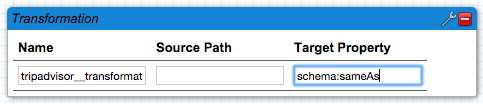
A new rule is created. Name it and set the Target Property. Then click on the wrench icon on the top right corner to open the editor:
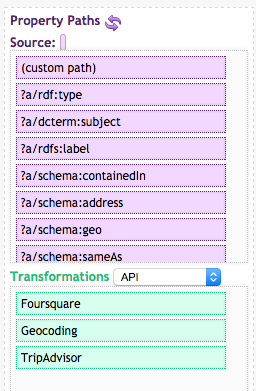
The toolbox contains the paths and the required transformations in the API category. The geocoding transform is required for this example, it can be downloaded from the silk-geocoding-plugin project.
From the editor, add the following source paths. In our example we're using the schema.org in the source dataset:
- street address,
?a/schema:address/schema:streetAddress, - city,
?a/schema:address/schema:addressLocality, - postal code,
?a/schema:address/schema:postalCode, - country,
?a/schema:address/schema:addressCountry.
Also add the Geocoding transformation from the toolbox, transformations-API:
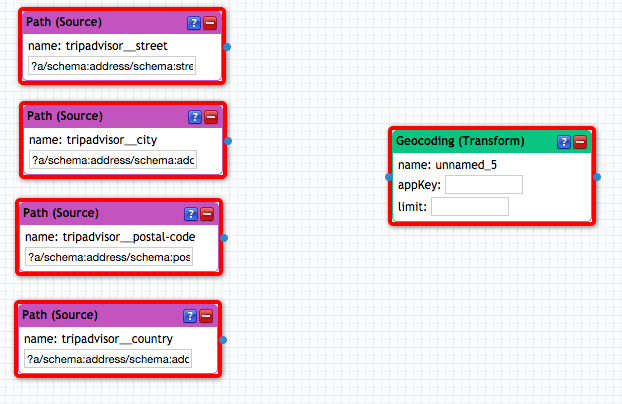
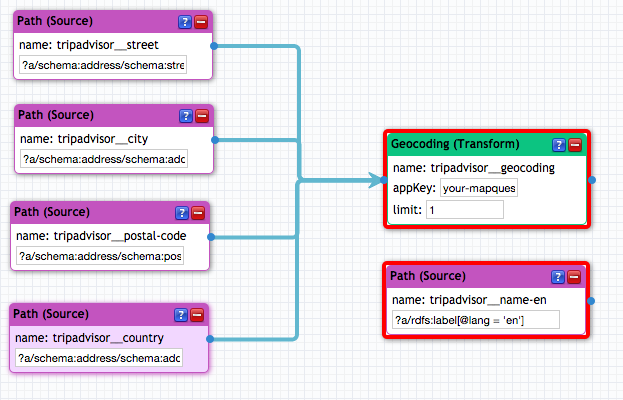
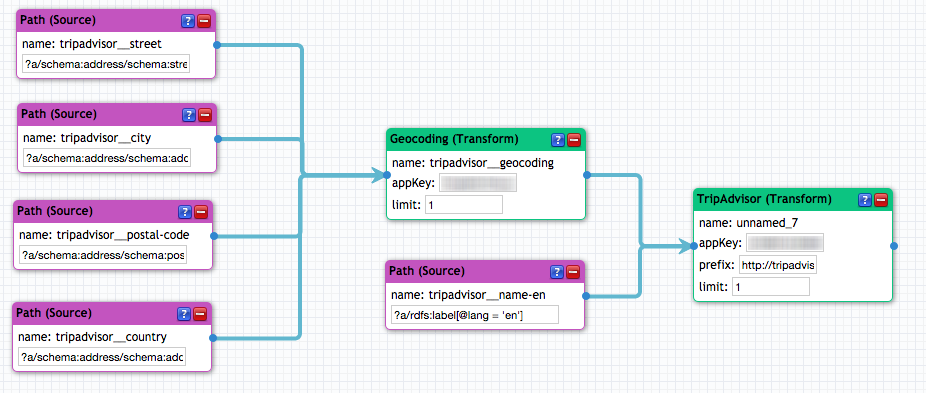
Connect one by one the source paths to the geocoding transform. The order of connection is very important:
- street address
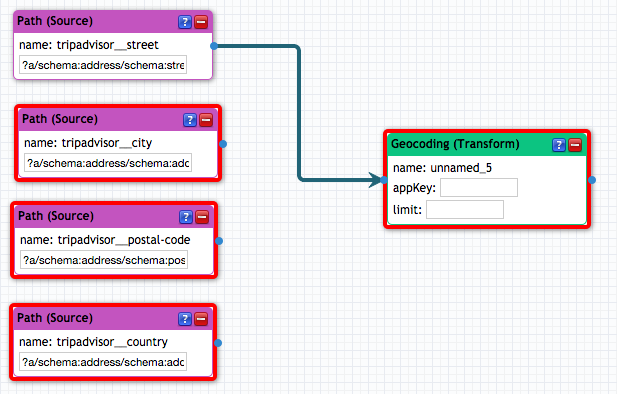
- city
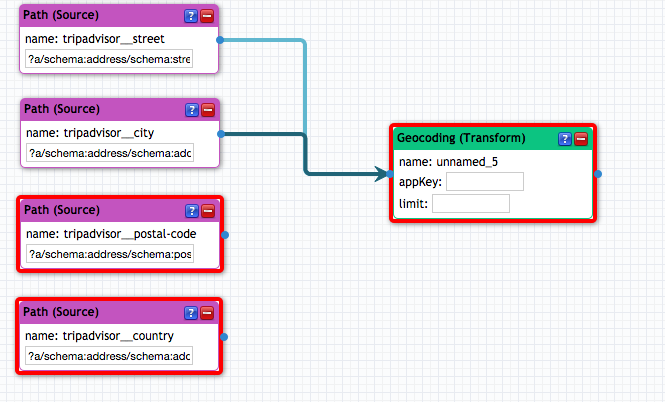
- postal code
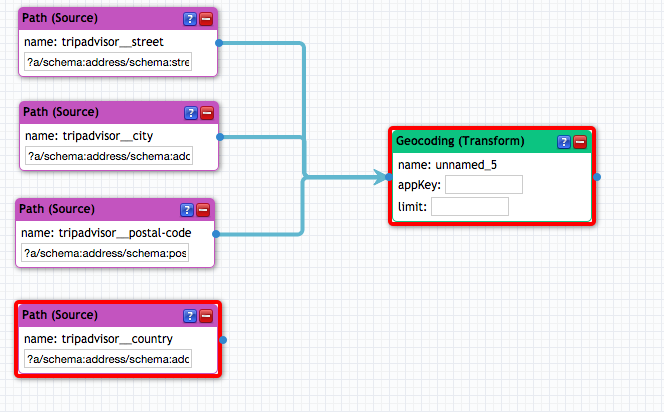
Add the source paths, one by one, in our example:
- country
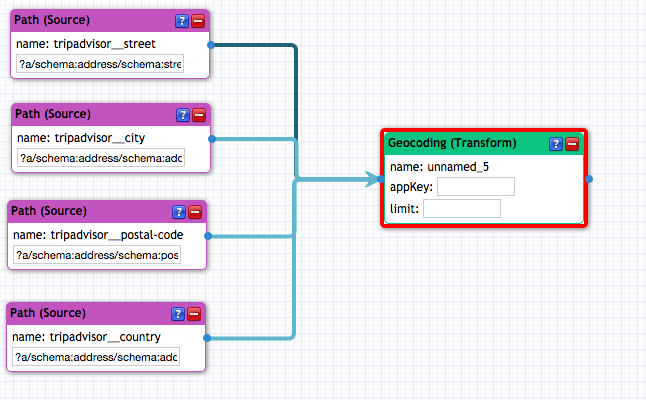
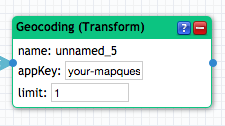
Set the geocoding transform parameters. A MapQuest key is required, you can get one on the MapQuest Developers portal:
Add the POI name source path to the editor, in our example ?a/rdfs:label[@lang = 'en']:
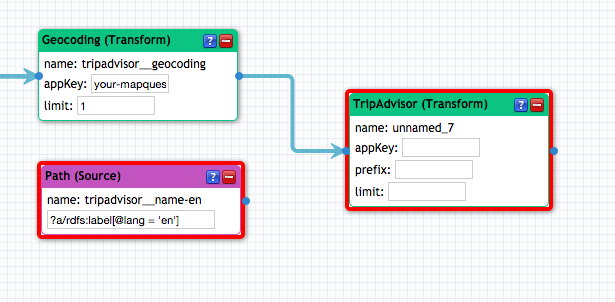
Add the TripAdvisor transform and connect the geocoding transform output to it:
Then connect the name source path to the TripAdvisor transform:
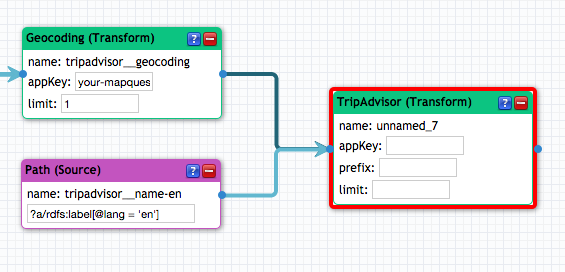
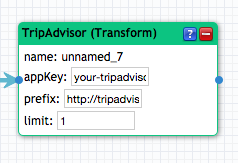
Configure the TripAdvisor transform parameters:
- appKey, the application key you received from TripAdvisor,
- prefix, the prefix to use to build the TripAdvisor location address (suggested: http://tripadvisor.com/),
- limit, the maximum number of results.
This is how the editor should look like at the end:
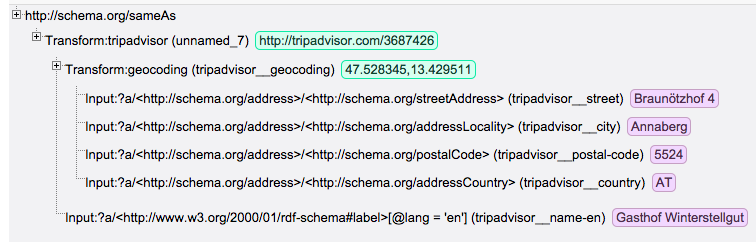
Click on Evaluate to launch the process and see the results. This is an example result:
Be aware that TripAdvisor does not allow more than 100 requests per second. Check in the console log for any messages.
Edit or create the rules.xml file in Silk's project folder (~/.silk/workspace/project-name/transform/transform-name/rules.xml).
The following will load the TripAdvisor plugin and will match TripAdvisor data using the coordinates and POI name. It'll return the TripAdvisor location URL, such as http://tripadvisor.com/xyz.
The order of the Input elements is important, they must be listed in the following order:
-
latitude/longitude coordinates separated by a comma (e.g.
1.234,2.345), -
POI name
Following is an example of a Transform element that can be configured in a Silk LSL
configuration file for use with Single Machine.
The order of the Input elements is important, they must be listed in the following order:
- latitude/longitude coordinates separated by a comma (e.g.
1.234,2.345), - POI name
Note that for this to work, Silk framework needs pull request 29
<Silk>
<!-- Your existing configuration ... -->
<Transforms>
<Transform id="reconcile-with-tripadvisor">
<SourceDataset dataSource="source" var="a">
<RestrictTo>{ ?a a <http://schema.org/LocalBusiness> . } .</RestrictTo>
</SourceDataset>
<TransformRule name="TripAdvisor" targetProperty="<http://schema.org/sameAs>">
<TransformInput id="tripadvisor" function="tripadvisor">
<TransformInput id="geocoding" function="geocoding">
<Input id="geocoding__address__streetaddress"
path="?a/<http://schema.org/address>/<http://schema.org/streetAddress>"/>
<Input id="geocoding__address__postalcode"
path="?a/<http://schema.org/address>/<http://schema.org/postalCode>"/>
<Input id="geocoding__address__addresslocality"
path="?a/<http://schema.org/address>/<http://schema.org/addressLocality>"/>
<Input id="geocoding__address__addresscountry"
path="?a/<http://schema.org/address>/<http://schema.org/addressCountry>"/>
<Param name="appKey" value="your-mapquest-app-key"/>
<Param name="limit" value="1"/>
</TransformInput>
<Input id="tripadvisor__label" path="?a/<http://www.w3.org/2000/01/rdf-schema#label>[@lang = 'en']"/>
<Param name="appKey" value="your-tripadvisor-app-key"/>
<Param name="prefix" value="http://tripadvisor.com/"/>
<Param name="limit" value="1"/>
</TransformInput>
</TransformRule>
<Outputs>
<!-- your existing outputs configuration ... -->
</Outputs>
</Transform>
</Transforms>
</Silk>
This work is made possible thanks to:
- Salzburgerland Tourismus for innovation in Tourism and Linked Data,
- Redlink for the Linked Data cloud platform,
- WordLift for bring Artificial Intelligence to web publishers,
- InsideOut10 for the project management and development.
A special thanks goes to:
- JetBrains for providing the IntelliJ IDEA open source license,
- TripAdvisor for providing the Content API used to map locations.