I learned programming in python and this is my first significant project. This project is meant to help user scrape twitter data of twitter users under any username. You can give multiple usernames for most of the different tools that are available under this project. I am looking forward to introduce more functionality and write cleaner code as I move ahead in my journey with python.
You may not require any of the information under this README, if you are a beginner then you might have to go through the information given under, if you are not, just clone and run in a virtual env taking care of requirement and TWITTER API keys.
You must have Twitter API key, from your Twitter developers account: https://developer.twitter.com/en/docs/twitter-api/getting-started/getting-access-to-the-twitter-api
To get the keys you need to create a project under twitter developers portal (5 mins) "apply for the Standard or Academic Research product tracks" recommended
Here are resources you can refer for that, it is a simple process: https://rapidapi.com/blog/how-to-use-the-twitter-api/ https://www.youtube.com/watch?v=vlvtqp44xoQ https://www.slickremix.com/docs/how-to-get-api-keys-and-tokens-for-twitter/
You will have four keys : twitterApiKey, twitterApiSecret, twitterApiAccessToken, twitterApiAccessTokenSecret
If opened through softwate like excel, replace your keys with 2nd row cells with respective names and save the .csv file If opened through notepad, replace the enteries of the 2nd line with respective key names and save the .csv file
You need to have a python installed on your system : https://www.python.org/downloads/ Here is a webpage that explains how it can be set up on different OS : https://realpython.com/courses/installing-python-windows-macos-linux/
You need to have external python libraries that are used in the project, there are two ways to go: (instructions for installing libraries will be given below)
What are python librarires ? : https://data-flair.training/blogs/python-libraries/
Install them directly onto your computer (instructions will be given below) OR Install them in a virtual environment (recommended)(instructions will be given below) OR Open the project folder in an IDE (further instructions will be given below)
What is virtual env in python? : https://www.geeksforgeeks.org/python-virtual-environment/
Clone the repository OR download it as ZIP and extract, whatever suits How to clone a repository ? : https://docs.github.com/en/github/creating-cloning-and-archiving-repositories/cloning-a-repository
IDEs : Open the project folder you have downloaded, "UltimateTwitterScrapper" in the IDE, opening which, IDE will ask you to create a virtual env, create a virtual env with dependencies as "requirements.txt" file present in the same directory and choose an empty directory for the creation of virtual env. How to set up virtual env for this project ? :
For Pycharm: https://www.jetbrains.com/help/pycharm/creating-virtual-environment.html#env-requirements "Create a virtual environment using the project requirements" on that webpage
For IntelliJ IDEA: https://www.jetbrains.com/help/idea/creating-virtual-environment.html
Running without an IDE:
Windows users: Open the directory where the FOLDER "UltimateTwitterScrapper" is located Open your CMD in this particular filepath
Run in CMD: To create a virtual env, activate virtual env and install requirements
python -m venv UltimateTwitterScrapper cd UltimateTwitterScrapper Scripts\activate pip install -r requirements.txt
Run in CMD to start running the file:
python main.py
AND YOU ARE GOOD TO GO
Regardless https://packaging.python.org/guides/installing-using-pip-and-virtual-environments/
can be referred for help.
Linux/macOS users: https://packaging.python.org/guides/installing-using-pip-and-virtual-environments/
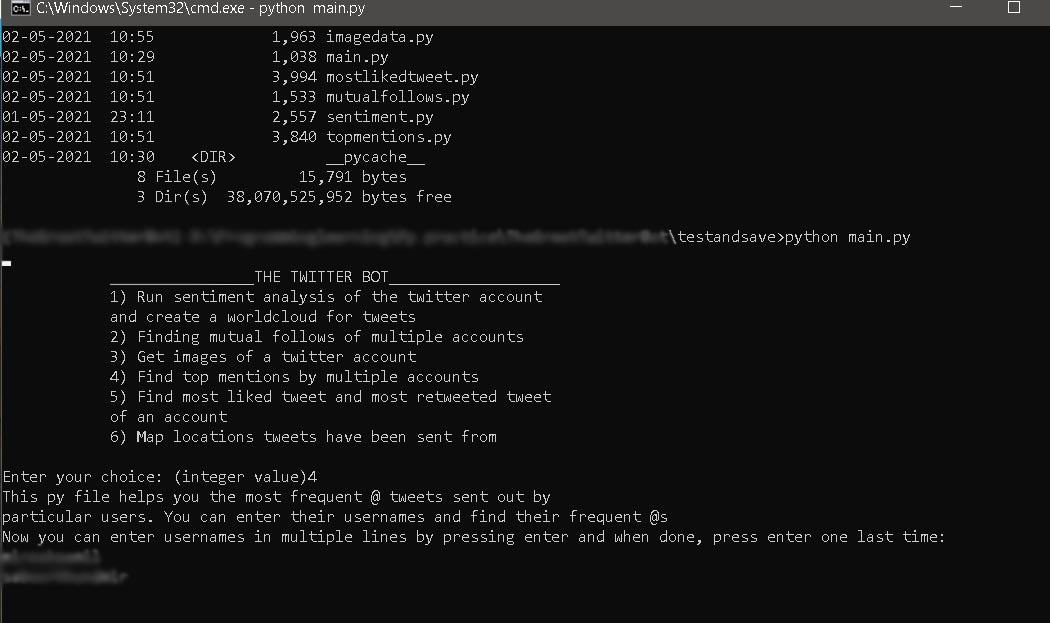
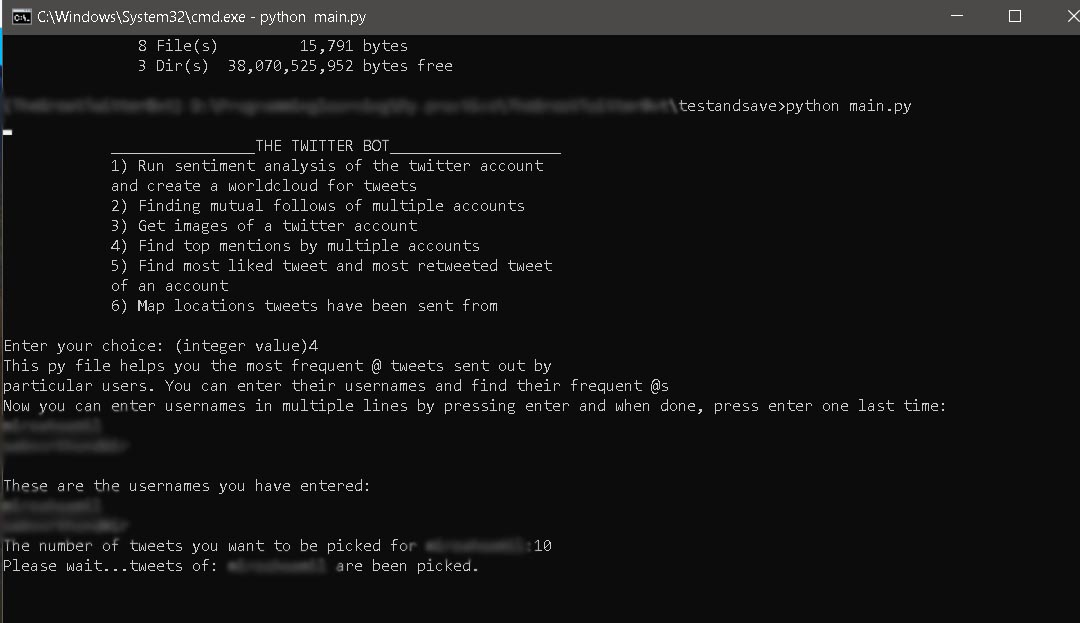
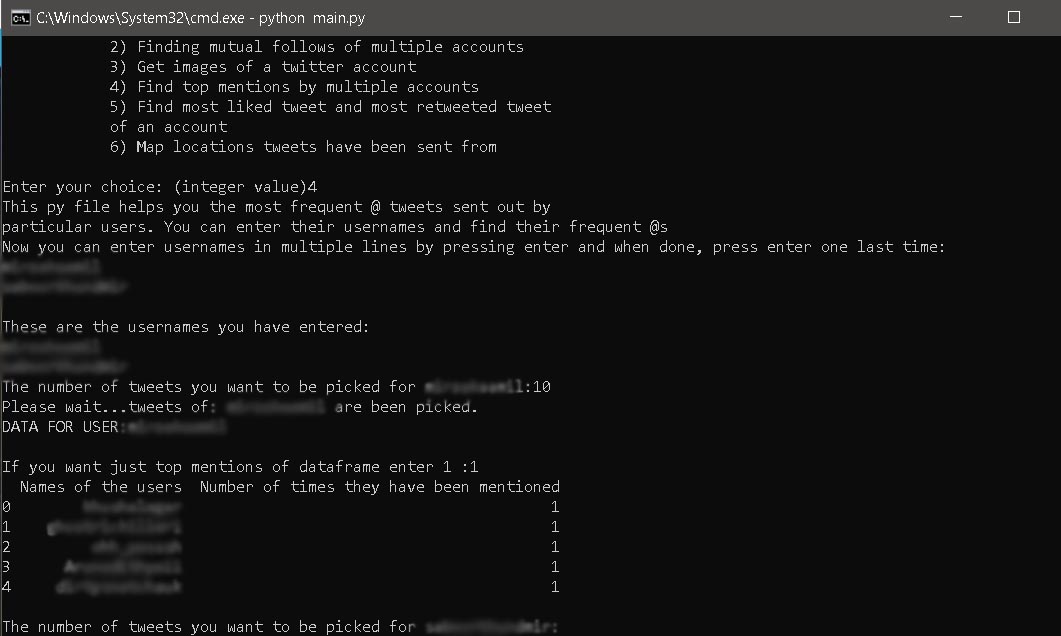
Option 4 being run:
Please do consider contributing to this repository or raising issues to make it better :)
- Mohammad Kaamil Mirza - Kaamil Mirza
This project is licensed under the MIT License - see the LICENSE.md file for details
- Hat tip to anyone whose code was used
- Inspiration
- etc