A collection of beautiful, easy-to-use, and professional portfolio templates with elegant themes and responsive designs. All templates are powered by modular JSON-based data fetching and support seamless updates via Python automation scripts.


💡 Whether you're a developer, designer, writer, or student, you'll find a template that fits your personal or professional needs—fully responsive, dark mode compatible, and highly customizable.
Use this repository as a GitHub template to quickly create your own portfolio, simply click Use this template, customize the content, and deploy your site using GitHub Pages or Netlify.


- 📁 Multiple Templates & Themes: Browse Templates.md to explore all available options.
- ⚙️ Data-Driven: All personal details and links are pulled from JSON files.
- 🌙 Light & Dark Mode: Each template supports dynamic theme switching.
- 💻 Fully Responsive: Mobile, tablet, and desktop views are supported out of the box.
- 🚀 Automated Setup: Python scripts make onboarding and updates effortless.
- 📚 Dedicated Docs: Each template and theme comes with its own separate documentation for easy understanding and customization.
(See css/variables.css for full theme definitions)
:root {
  /* === Minimalist Professional === */
  --color-slate-ember: #36454F;
  --color-golden-fern: #B8860B;
  --color-monochrome-grace: #555;
  --color-blushed-graphite: grey;

  /* === Creative & Expressive === */
  --color-rainbow-spectrum: #DA70D6;
  --color-blue-whisper: rgb(0, 200, 255);
  --color-teal-rose: #008080;

  /* === Nature-Inspired === */
  --color-nature-canvas: #1ba35d;

  --bg-white: #f7e8e8;
  --text-grey: #444;
  --text-blue: #007acc;
  --header-white: #fbd0d0;
  --hover-black: rgba(0, 0, 0, 0.1);
  --heading-color: #333;
  --light-grey: #555;
  --section-fill: #fff;
  --bg-grey: rgb(192, 181, 181);
  --cream: #e8d6d6;
}All templates are built with responsiveness in mind and gracefully transition between light and dark modes, ensuring a seamless user experience across all devices.
Note
💡 User Data Location
All dynamic content (like social links and personal information) is managed through modular JSON files in the assets/user_data/ directory:
You can either manually edit these files or use the automation scripts in Setup_Files for quick setup.
🧠 Centralized Data Handling – index.js
The index.js file acts as the core fetcher and distributor of user data across all templates—keeping updates consistent and scalable.
Portfolio-Templates/
│
├── assets/ # 🧩 Global assets and resources
│ ├── user_data/ # 📄 JSON files for user data (e.g., social_links.json, user.json)
│ └── images/ # 🖼️ Icons and visual assets used across all templates
│
├── Template_Name/ # 🎨 Template folder with multiple themes (e.g., Minimalist_Professional)
│ ├── 📄 README.md # 📘 Overview of this template and its themes
│ ├── css/ # 🎨 Base CSS styles
│ │ ├── main-styles.css # 🧱 Base styles
│ │ ├── variables.css # 🎨 Theme color tokens and CSS variables
│ │ └── responsive-styles.css # 📱 Responsive media queries
│ │
│ └── Theme_Name/ # 🖌️ Individual theme folder (e.g., Slate_Ember, Golden_Fern)
│ ├── 📄 README.md # 📘 Theme-specific notes and usage
│ ├── index.html # 🏠 Theme homepage
│ ├── css/ # 🎨 Theme-specific styles
│ │ ├── index.css # ☀️ Light mode styles
│ │ └── index-dark.css # 🌙 Dark mode styles
│ └── site-previews/ # 🔍 Preview images for the theme
│ ├── website_1.png # 🖼️ Meta tag / OG image
│ ├── desktop_website.png # 🖥️ Desktop preview
│ └── mobile_website.png # 📱 Mobile preview
│
├── Template_Name/ # 🖼️ Template folder without themes (supports dark/light mode)
│ ├── 📄 README.md # 📘 Description of the standalone template
│ ├── css/ # 🎨 Base + theme styles
│ │ ├── main-styles.css # 🧱 Base styles
│ │ ├── variables.css # 🎨 Theme color tokens
│ │ ├── responsive-styles.css # 📱 Media queries
│ │ ├── index.css # ☀️ Light mode styles
│ │ └── index-dark.css # 🌙 Dark mode styles
│ ├── index.html # 🏠 Main HTML file
│ └── site-previews/ # 🔍 Preview images
│ ├── website_1.png # 🖼️ Meta tag / OG image
│ ├── desktop_website.png # 🖥️ Desktop preview
│ └── mobile_website.png # 📱 Mobile preview
│
├── js/ # ⚙️ JavaScript for all templates
│ └── index.js # 📡 Central script to fetch and inject user data
│
├── Setup_Files/ # 🛠️ Python scripts for automated setup
│ └── 📄 README.md # 📘 Instructions for using setup utilities
│
├── Localhost_Setup/ # 🌐 Local server launch configs (e.g., Jekyll)
│
├── 📄 README.md # 📘 Overview of the entire Portfolio-Templates project
├── 📄 LICENSE.md # 📜 License terms and usage permissions
├── 📄 CONTRIBUTING.md # 🧑💻 Contribution guidelines
└── 📄 Templates.md # 📚 Overview of all templates and themesQ: How do I switch between light and dark modes?
A: It's automatic based on system settings, but you can customize the toggle using CSS/JavaScript.
Q: How do I get started?
A: Visit the Getting_Started.md file for setup instructions and usage steps.
Q: How do I view all templates and themes?
A: You can explore them on the website or in the project folders, each template and theme folder has a README.md file with preview images and theme information.
Q: How do I see a live demo of a theme?
A: Visit the live demo using this link format:
🌐 https://madhurimarawat.github.io/Portfolio-Templates/Template_Name_Theme_Name
📌 If the template has no themes, the format is simply: 🌐
https://madhurimarawat.github.io/Portfolio-Templates/Theme_Name
(Replace Template_Name and Theme_Name with the actual names as per themes and templates.)
Q: Can I use my own fonts and color palette?
A: Absolutely! Update the styles in variables.css and link to your preferred font in main-styles.css.
Q: How do I test it locally?
A: Use the instructions in Localhost_Setup/ or serve the site using a simple server like Python’s http.server.
Q: Is there any backend or database?
A: No, it's fully static and runs directly in the browser. All data is pulled from local JSON files.
Q: Can I deploy on Netlify or Vercel?
A: Yes! Just remember to remove permalink keys in _config.yml or front matter to prevent routing issues.
🛠️ Note:
- ✅ Netlify fully supports Jekyll and is ideal for deploying this project.
- ❌ Vercel does not natively support Jekyll. To use Vercel, you’ll need to pre-build your site locally and deploy the generated
_site/folder manually.
Q: How can I contribute?
A: You can contribute by ⭐ starring the repository and sharing it with others!
If you'd like to add a new template or theme, visit CONTRIBUTING.md for complete guidelines.
🔗 Submit your usage using our Example Usage Submission Template! 🚀
| Snapshot | Project Name | Description | Project Link |
|---|---|---|---|
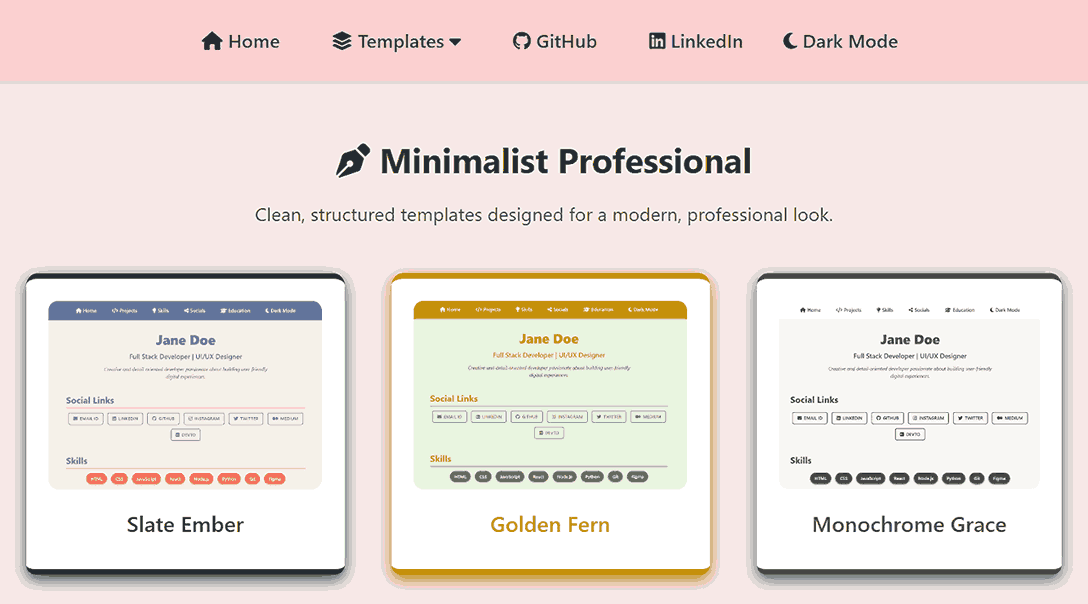 |
Portfolio-Templates | Showcasing Portfolio-Templates in a website layout. | View Project |
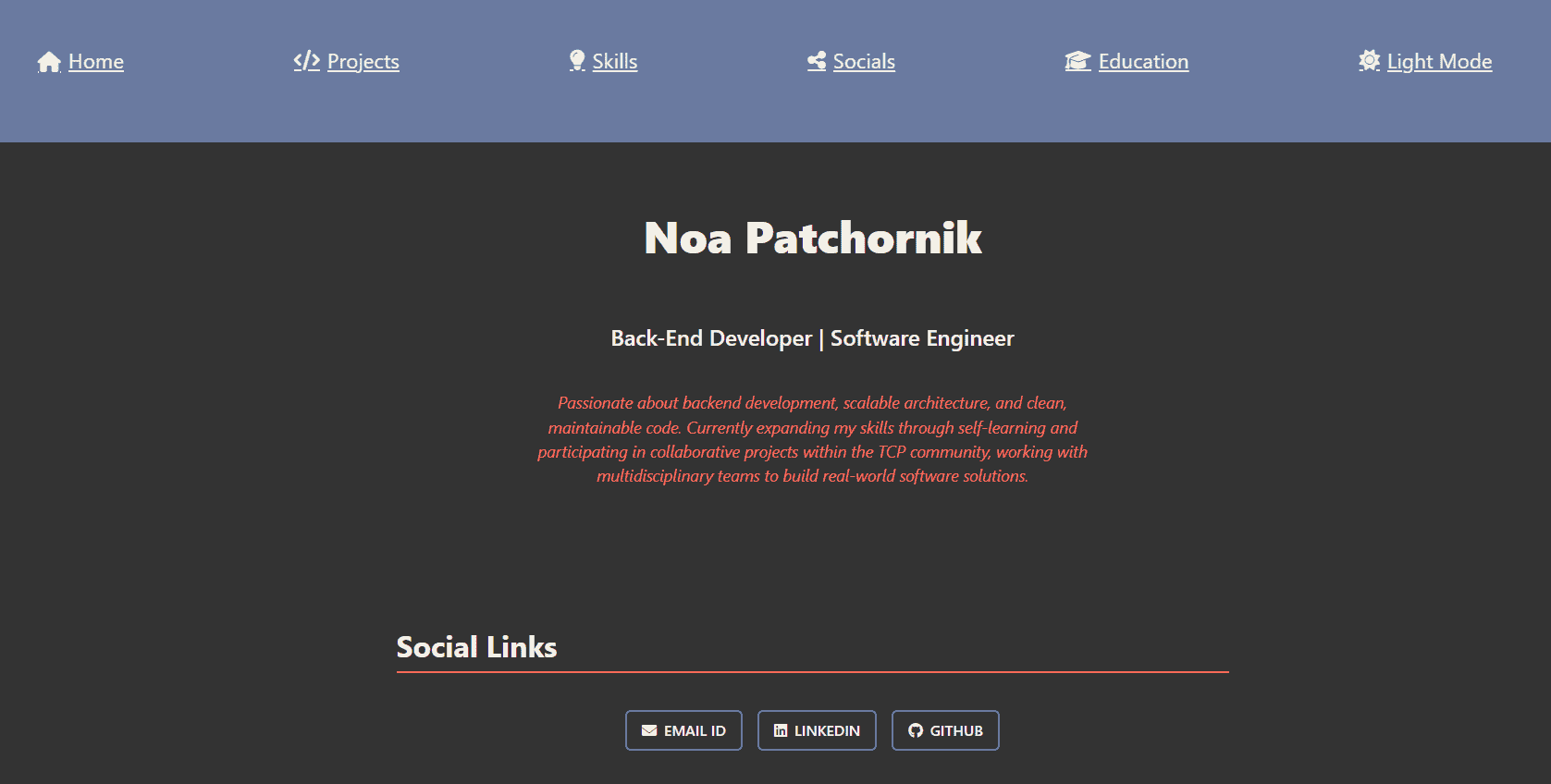 |
Personal Portfolio | Built using the Minimalist Professional template with the Slate Ember theme. | View Project · by noa-patchornik |
| Add yours here! | Your Project Name | Briefly describe how you used Portfolio-Templates. | Submit here |
All contributions are appreciated! Want to contribute? Check out:
📜 Contribution Guidelines | 📩 Issue Templates | 🔄 Pull Request Template

Madhurima Rawat 💻 Maintainer |

Pooja B 🌌 Aurora Circuit |

Contributor Name 🎨 New Template |
- Drop a 🌟 if you find this repository useful.
- If you have any doubts or suggestions, feel free to reach me.
📫 How to reach me:
- Contribute and Discuss: Feel free to open issues 🐛, submit pull requests 🛠️, or start discussions 💬 to help improve this repository!
