
Replies: 2 comments

-
|
You'll need to enable shadow maps on the renderer. R3F's Also, prefer not to create objects in the body of a render function, furthermore you can configure your camera via the <Canvas shadows camera={{ fov: 45, near: 0.1, far: 100, "position-y": 15 }}>
<OrbitControls
minPolarAngle={0}
maxPolarAngle={Math.PI / 2 - THREE.MathUtils.degToRad(1)}
/>
<directionalLight
position={[0, 5, 2]}
castShadow
color={0x602376}
intensity={1.0}
/>
<StadiumScene />
</Canvas> |
Beta Was this translation helpful? Give feedback.

-
|
Hi Anh Huy, If helpful, happy to share a quick checklist you can try. |
Beta Was this translation helpful? Give feedback.


Uh oh!
There was an error while loading. Please reload this page.
Uh oh!
There was an error while loading. Please reload this page.
-
I created a simple scene that contains
Directional Light,Orbit Controls(for camera control), and aGroupthat contains meshes:In
StadiumScenecomponent, it only has Sphere and Plane objects:However when running it on the browser, the shadow behind the Sphere didn't cast on the plane
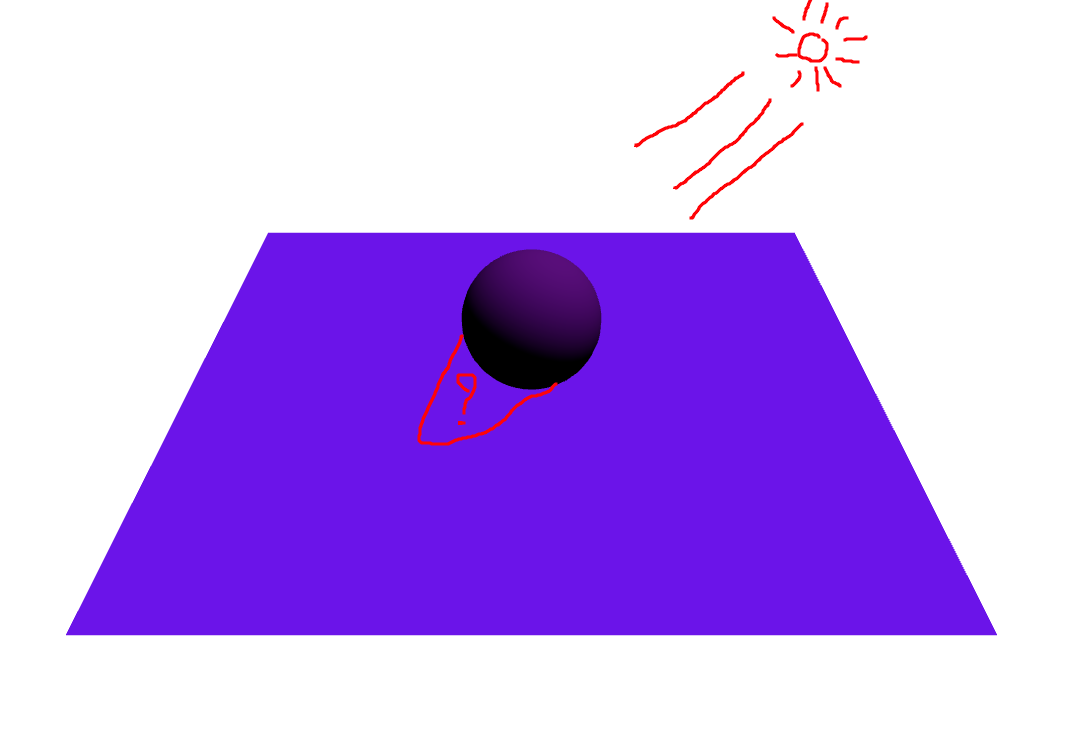
Did I do something wrong or miss syntax? I used
React 18.12.0,three 0.145.0,@react-three/fiber 8.8.8and@react-three/drei 9.32.7Beta Was this translation helpful? Give feedback.
All reactions