  ▄██▀ ▀█  ▄██▀ █▄  ▀██  ██▀  ▄██▀ ▀█  ▄██▀ █▄   █▄   ▄█
 ▐▒▒▒     ▐▒▒▒  ▒▒▌  ▒▒  ▒▒  ▐▒▒▒     ▐▒▒▒  ▒▒▌  ▒▒▒▄▒▒▒
 ▐▒▒▒     ▐▒▒▒  ▒▒▌  ▒▒▌ ▒▒  ▐▒▒▒     ▐▒▒▒  ▒▒▌  ▒▒ ▀ ▒▒
  ▀██▄ ▄█  ▀██▄ █▀    ▀█▄▀    ▀██▄ ▄█  ▀██▄ █▀  ▄██▄ ▄██▄

  Covert communications for private group conversations.
  Invite, talk, close the client, and the chat vanishes.
  Every message is encrypted with XChaCha20 and signed
  with Ed25519. A BLAKE3 fingerprint on each key allows
  peers to verify one another. SPQR's manual and epoch
  ratchets add forward secrecy, while post-quantum
  ML-KEM-768 encapsulation keeps recorded communications
  unreadable and secure against future cryptanalysis.




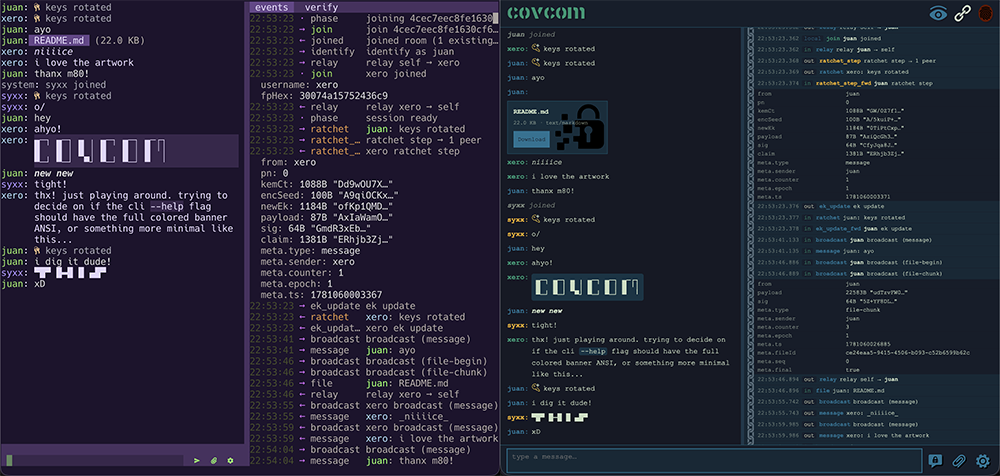
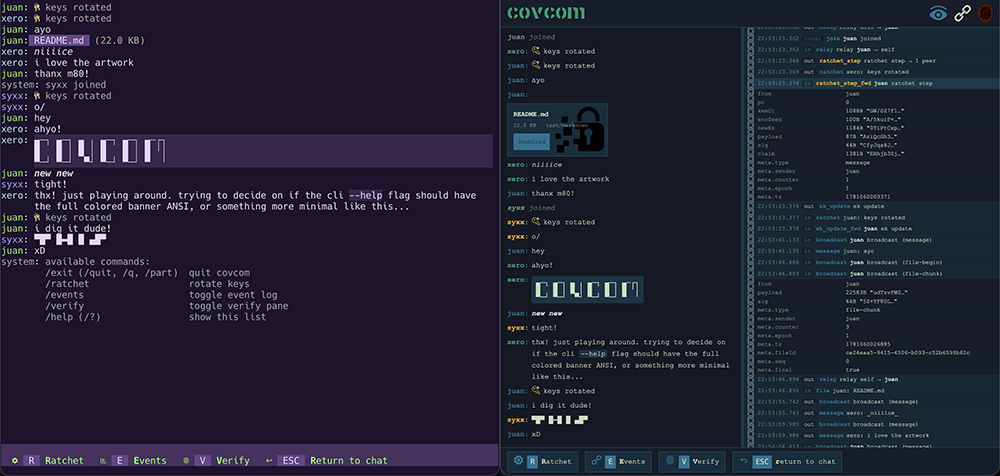
CLI & Web Client Previews
Every message is encrypted with XChaCha20-Poly1305. That is the core cipher. Everything else exists to get a fresh, unique XChaCha20 key to the right people at the right time.
Each participant owns one send chain: a stateful KDFChain that steps
forward on every message via HKDF-SHA-256, producing a unique 32-byte key
and wiping the previous chain key. Message keys are wiped after use.
Past keys are unrecoverable from current state.
Epoch transitions use ML-KEM-768 (FIPS 203). When a ratchet fires, the sender generates a shared seed, KEM-encapsulates it separately for each peer, and broadcasts the result. Every peer derives the same new chain from that seed. The KEM ciphertext travels in-band; the decapsulator's keypair rotates immediately after use.
The group uses a Sender Keys model: one send chain per participant, not one per pair. O(N) state regardless of room size.
Every session mints a fresh Ed25519 signing keypair on construction. Every identity claim and every broadcast is signed under it, so each peer can authenticate where a message came from.
Each peer's claims form a BLAKE3-chained log: every claim binds the previous payload's hash. The server cannot reorder, drop, or substitute a structural event mid-session without breaking the chain.
The signing public key derives a fingerprint for out-of-band verification:
BLAKE3(sessionPk, 16) rendered as eight OKLCh swatches and a 16-char hex
string. Compare it with your peers over a trusted channel to rule out a
machine-in-the-middle.
This implements the Sparse Post-Quantum Ratchet from Signal's Double Ratchet spec (§5, Revision 4). For more detail, see PROTOCOL.
Cryptographic primitives are provided by leviathan-crypto.
Point chat.example.com at the host you'll run on, then:
docker pull xerostyle/covcom:latest
docker run -d \
  -p 80:80 -p 443:443 \
  -e DOMAIN=chat.example.com \
  xerostyle/covcom:latest
Open https://chat.example.com in a browser. Create a room, share the invite, & chat.
Nothing needs Bun at runtime. Every component installs
manually (a release binary, the Docker image, or the single-file
covcom.html web page) or from the npm registry with any JS package
manager. Bun is required only to develop or build from source.
| Component | Channel | Requires |
|---|---|---|
| Web client | hosted page | a modern browser (Chrome, Firefox, or Safari) |
| Web client | covcom.html release asset |
a modern browser; open from disk or any static host |
| CLI | release binary | nothing |
| CLI | npm i -g covcom |
Node 18 or newer, or Bun (launcher shim only) |
| Server | release binary | nothing |
| Server | Docker image | Docker |
| Server | npm i -g covcom-server |
Node 18 or newer, or Bun (launcher shim only) |
| All of it | source: develop, build, test | Bun v1.3.14 or later (the packageManager pin) |
The release binaries and the npm platform packages embed the runtime they were compiled with, which is why the shim's Node is the only requirement on the npm rows. See SECURITY-POLICY for how that frozen runtime is patched.
Grab a release binary. Every asset is xz-compressed, checksummed, and covered by a build-provenance attestation:
curl -sLO https://github.com/xero/covcom/releases/latest/download/covcom-linux-x64.xz
xz -d covcom-linux-x64.xz && chmod +x covcom-linux-x64
sudo mv covcom-linux-x64 /usr/local/bin/covcom
Or install from npm. The packages carry the same prebuilt binaries, so npm installs need no Bun:
npm i -g covcom         # CLI client
npm i -g covcom-server  # relay server
The server also ships as a Docker image (see Quickstart), and
the web client as a single covcom.html page that opens straight from disk.
Platform targets, server one-liners, and download verification (checksums
and gh attestation verify) are in
USAGE § install. Building from source is covered in
Development.
Both the server and cli are build for the following platforms:
| Binary | Target |
|---|---|
covcom*-linux-x64 |
Linux x86_64, glibc |
covcom*-linux-x64-musl |
Linux x86_64, musl |
covcom*-linux-arm64 |
Linux arm64, glibc |
covcom*-linux-arm64-musl |
Linux arm64, musl |
covcom*-macos-arm64 |
macOS Apple Silicon |
covcom*-macos-x64 |
macOS Intel |
covcom*-win-x64.exe |
Windows x86_64 |
The Docker image from the Quickstart is the recommended
deployment: Caddy terminates TLS automatically via ACME and serves the web
client at your domain. It is published to
Docker Hub as
xerostyle/covcom and GHCR
as ghcr.io/xero/covcom. Pin a specific version (e.g. :3.0.0) in production
so a vulnerability disclosure does not silently upgrade you. See
USAGE § Docker for tag conventions and how to extend the
image.
Standalone binary. Every release attaches compiled server binaries (Linux x64/arm64 in glibc and musl flavors, macOS arm64 and x64, and Windows x64): one downloaded file, no bun, no node, no npm. See USAGE § stand-alone-bin for verification and target details.
npm. npm i -g covcom-server, then covcom-server --port 1337. The
meta package pulls the matching @covcom/server-<platform> binary for your
os, cpu, and libc, and a small shim execs it.
Behind your own proxy. Outside the Docker image the server speaks plain
HTTP on 127.0.0.1:1337; your reverse proxy must terminate TLS and set the
security headers. See USAGE § prod-no-docker.
Configuration is flags and matching env vars (--port, --host,
--max-room-size, --admin-token, --room-ttl, plus --help and
--version; flags beat env vars), identical in every mode. See
USAGE § flags for the full tables and the
ps-visibility caveat on --admin-token.
Nothing to install. Download covcom.html from any
release and open it straight from
disk (file://) or serve it from any static host, or open the page a Docker
deployment already hosts at your domain. All crypto, including chunked
encrypted file transfer, runs as WASM in the page under the strictest
possible CSP, default-src 'none', and works in Chrome, Firefox, and
Safari/WebKit.
The interface mirrors the CLI: a chat pane plus the Verify and
Event Log sidebars. Verify lists your fingerprint and every peer's
side by side; Event Log records every inbound and outbound WebSocket
frame and crypto action, with redacted payloads and expandable detail rows.
Drag the divider between the chat and sidebar to resize, or double-click it
to reset. The eye button in the header hides or shows system messages
(joins, leaves, ratchets). Drag a file anywhere onto an open chat to send
it; drop a .room file on the lobby to load an invite. Press Esc in the
message box to open the keys-display (R ratchet, E events, V verify,
Esc return); the /ratchet, /events, and /verify commands work too.
The full interface tour, panel reference, and command list are in USAGE § interface.
The CLI is a compiled standalone binary with a custom zero-dependency TUI.
npm i -g covcom
covcom
Prebuilt binaries ship as @covcom/cli-<platform> packages for macOS
arm64 and x64, Linux x64/arm64 in glibc and musl flavors, and Windows
x64; the install needs no Bun. Other platforms can grab a
release binary or build from
source (see Development).
Join directly from a .room file:
covcom --join /path/to/invite.roomTwo paranoia flags control how the config file is used:
covcom --clean  # config neither read nor written; fully ephemeral
covcom --anon   # saved server and username neither read nor written
--clean ignores ~/.config/covcom/config.json entirely: no saved server
or username is prefilled, and nothing is written back. --anon is the
narrower variant: theme, copy command, sidebar width, and icons still load
and persist as usual. Combine either with --join for a fully ephemeral
session, e.g. covcom --clean --join /path/to/invite.room.
Settings persist to ~/.config/covcom/config.json: server, username,
clipboard command, sidebar width, button glyphs, and a full color theme
(ansi16, xterm 256, or truecolor hex per slot). The flag reference, every
config field, the theme slot table, and keyboard navigation are in
USAGE § cli-client.
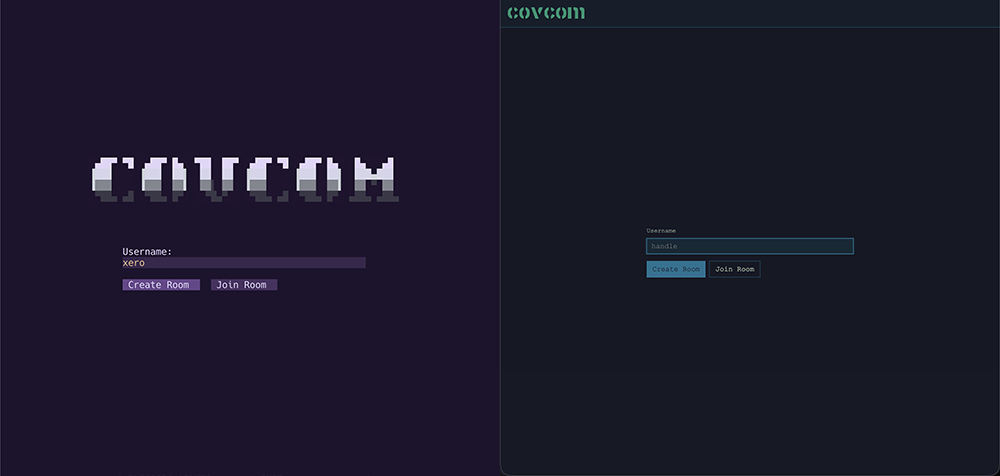
Create a room:
- Enter a username and select Create Room.
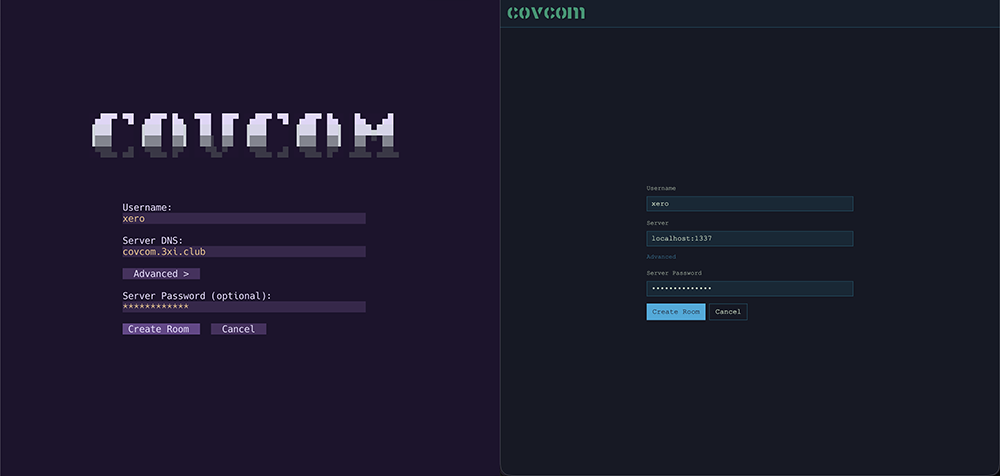
- On the create screen, enter a server address and select Create Room. An Advanced toggle reveals an optional server password. The web client prefills the server with the host serving the page, which is the relay in the single-container deployment; edit it to target a separate relay.
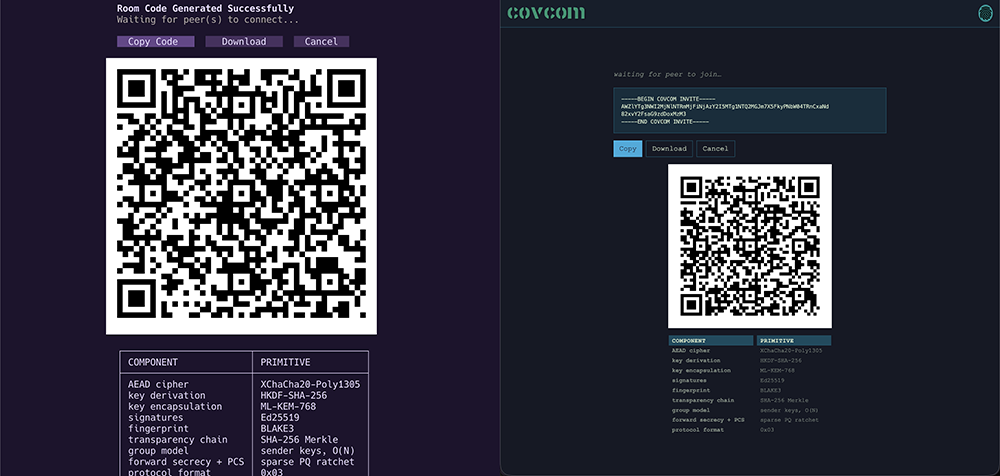
- The lobby screen shows an armored invite block, a QR code of the same bytes, and copy/download buttons. Share it via any channel.
- The screen waits until a peer joins.
Sample armored invite:
-----BEGIN COVCOM INVITE-----
AWU5YTYyMWVhMzQwOTM2MDRkMTM5M2MxNTQ0ZDBjNjg0gCIiZMnOHFyPCn5zIfaLsGNvdmNvbS4zeGkuY2x1Yg==
-----END COVCOM INVITE-----
Join a room:
- Enter a username and select Join Room.
- On the join screen, paste the armored invite text, drag-drop the
.roomfile (web), or enter the file path and select Browse (CLI). A dropped or browsed file fills the paste box. - Select Join Room. It parses the invite and connects; there is no separate parse or connect step.
Once both sides complete the handshake, the chat opens. The server has relayed a sequence of encrypted blobs and learned nothing about the content. Version negotiation, reconnect behavior, and late-join semantics are covered in USAGE § starting-a-session.
Deeper references for users, auditors, contributors, and the curious.
| Document | Purpose |
|---|---|
| USAGE | Install, configure, and run the server and clients; developer tooling |
| SECURITY-POLICY | Supported versions, disclosure policy, cryptographic foundation |
| DIAGRAM | Animated and annotated visualization of a complete three peer session |
| PROTOCOL | Cipher, chains, ratchet, group model, session lifecycle, server role |
| CRYPTOGRAPHY | Primitives, KDF chains, wire format, invite encoding |
| THREAT-MODEL | Principals, adversary tiers, guarantees, non-goals |
| LIB-SPEC | Shared library API, session and identity surface, invites, & files |
| SERVER-SPEC | Server wire contract, message handlers, room lifecycle, & config |
| WEB-SPEC | Web client architecture, state, session, views, & single-file build |
| CLI-SPEC | CLI architecture, rendering, input, widgets, views, & color system |
| TESTING | Test layers, unit and end-to-end suites, cross-client interop, and CI |
Tip
Documentation is available in the repo ./docs folder and published to the project Wiki.
Everything below needs Bun v1.3.14 or later
git clone https://github.com/xero/covcom
cd covcom
bun i        # install workspaces
bun dev      # relay + web client together, prewired
bun run test # the four unit suites in parallel
bun check    # full release gate: codegen, lint, typecheck, bake, test:all
Note the bun run prefix on test: a bare bun test invokes Bun's
built-in runner with the script name treated as a path filter, not the
package script.
Repository layout:
server/    WebSocket broker
lib/       Shared crypto session layer
web/       Vanilla SPA web client
cli/       Custom zero-dependency TUI client
scripts/   Dev tooling: build orchestrator, release scripts
docker/    Dockerfile, Caddyfile template, entrypoint
docs/      Project documentation / Wiki sources
The full developer reference (per-component and per-target builds, the local Docker build, single test suites, the cross-client interop and Playwright e2e runs, lint, typecheck, and release artifacts) is USAGE § development . The test architecture is TESTING.
left side is the CLI client (custom theme) / right side is the web client
Main client lobby
Invite screen
Crypto log
Login screen
Modal hotkey bindings display
▄─┐ ▄─┐ ▄ ╷ ▄─┐ ▄─┐ ▄─┌┐
█   █ │ █ │ █   █ │ █ ╵│
▀─┘ ▀─┘  ▀┘ ▀─┘ ▀─┘ ▀  ╵
Released under the MIT license.